
Real IT Projects for Massachusetts Businesses

See how Mass IT Pro Solution helps Massachusetts organizations fix unstable networks, improve cybersecurity, modernize systems, support users, and make better technology decisions with practical, hands-on IT work.

Massachusetts IT projects support from Mass IT Pro Solution for Massachusetts businesses and homeowners.

IT Projects Built Around Real Business Problems

Browse real Massachusetts IT projects and case studies covering managed support, cybersecurity improvements, network installation, cloud setup, endpoint protection, backup planning, workstation support, and infrastructure troubleshooting. Each project shows the challenge, the solution, and the business result, not just a list of tools installed.

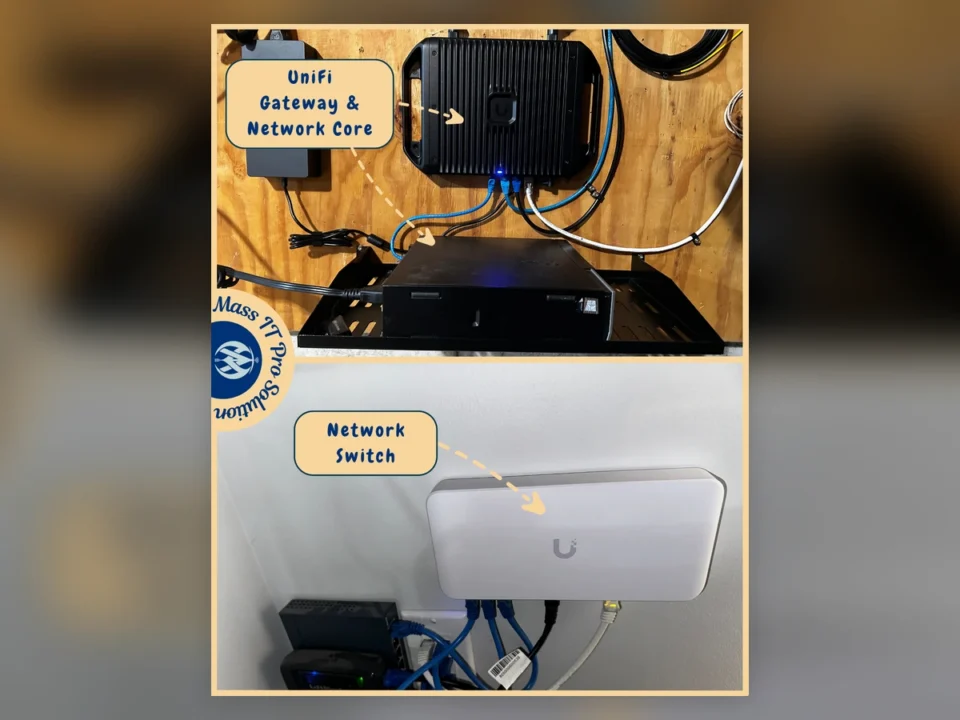
UniFi gateway and network switch installed as part of a residential network upgrade in Massachusetts.
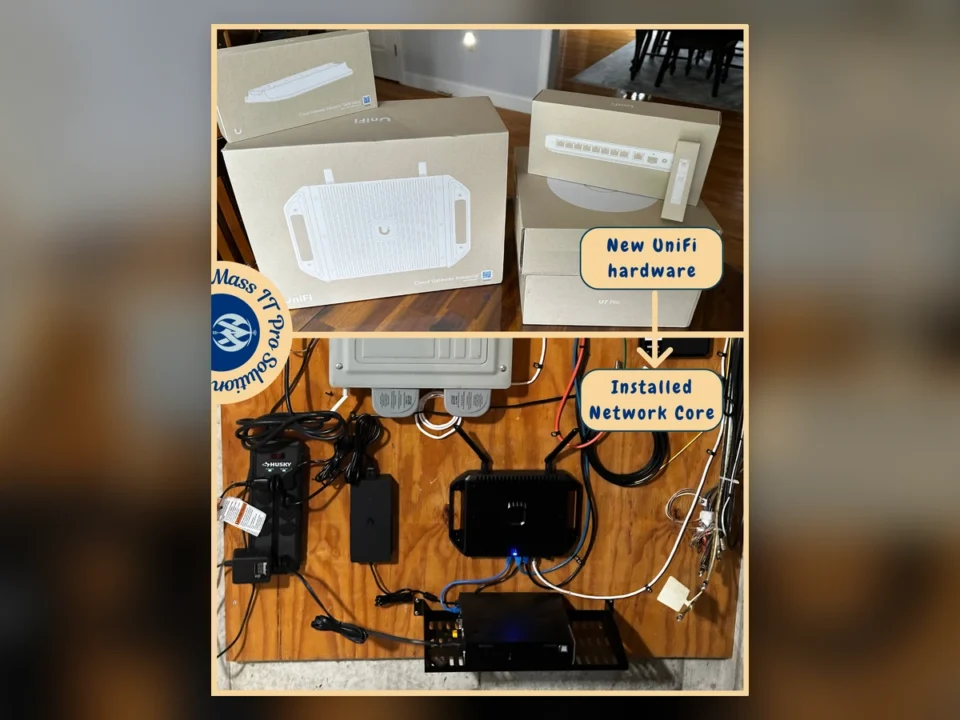
New UniFi networking hardware and completed residential network core installation in Massachusetts.
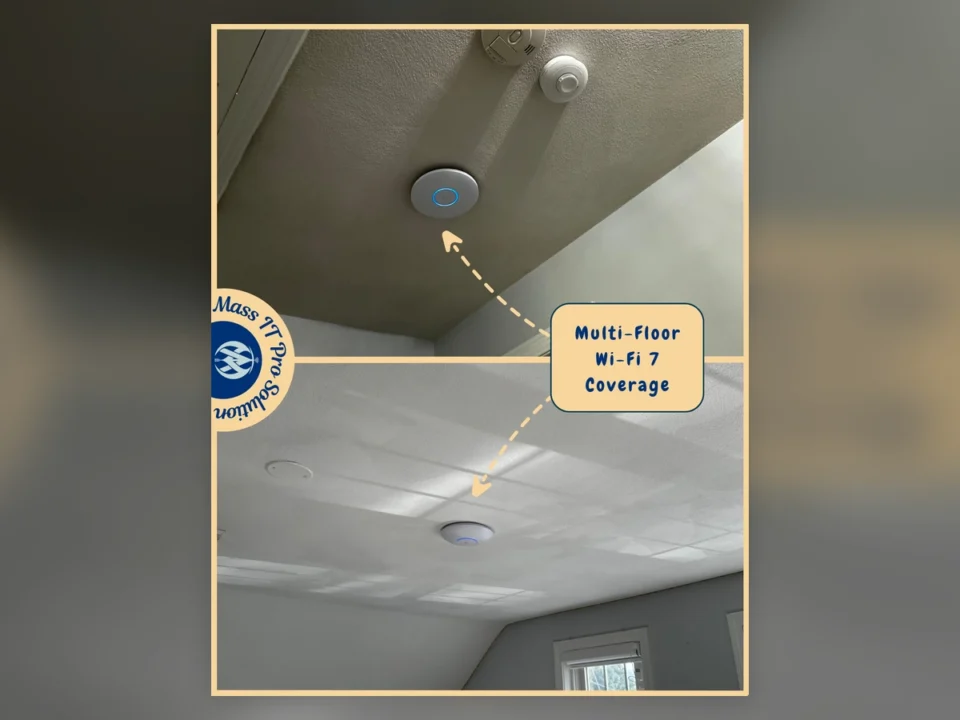
Ceiling-mounted UniFi Wi-Fi 7 access points installed on multiple floors of a Massachusetts home.
Residential Networking

Residential UniFi Network & Multi-Floor Wi-Fi 7 Upgrade

CHALLENGE

The home was operating on an unreliable network environment that relied heavily on existing consumer mesh equipment and did not provide the stability, coverage, or centralized management the homeowner needed across the property. The network required a stronger core architecture capable of supporting wired devices, multiple floors, modern Wi-Fi clients, and existing equipment that still needed to remain connected. Rather than continuing to add wireless extenders or additional consumer mesh nodes, the goal was to establish a professionally managed network foundation with dedicated gateway, switching, and Wi-Fi infrastructure.

SOLUTION

Mass IT Pro Solution designed and installed a new UniFi-based residential network centered around a UniFi Cloud Gateway Industrial and managed network switching. The new gateway was integrated with the home's Verizon internet service and installed at the centralized network location alongside the existing service equipment and structured cabling. Wired network connections were reorganized and connected through the new UniFi infrastructure to create a cleaner and more manageable network core. Multiple UniFi Wi-Fi 7 access points were installed in strategic ceiling locations to improve wireless coverage across different areas and floors of the home. Placement was selected to provide stronger signal distribution and reduce dependence on a single router or consumer mesh node. Existing Deco equipment was also linked into the updated network where required so the transition could support the home's existing connectivity needs while the new UniFi infrastructure became the primary managed network platform. The system was then configured, adopted, updated, and tested to verify gateway connectivity, switching, wired network access, wireless coverage, and communication between the newly installed devices.

RESULTS
  • New UniFi Cloud Gateway Industrial installed and configured
  • Centralized residential network core established
  • Managed UniFi network switch installed
  • Existing Verizon internet service integrated with the new network
  • Multi-floor UniFi Wi-Fi 7 access points installed
  • Wireless coverage improved across multiple areas of the home
  • Wired Ethernet connections integrated into the new network
  • Existing Deco equipment connected where required
  • Centralized UniFi management enabled
  • Network devices adopted and firmware updated
  • Wired and wireless connectivity validated after installation
  • More scalable residential network infrastructure established
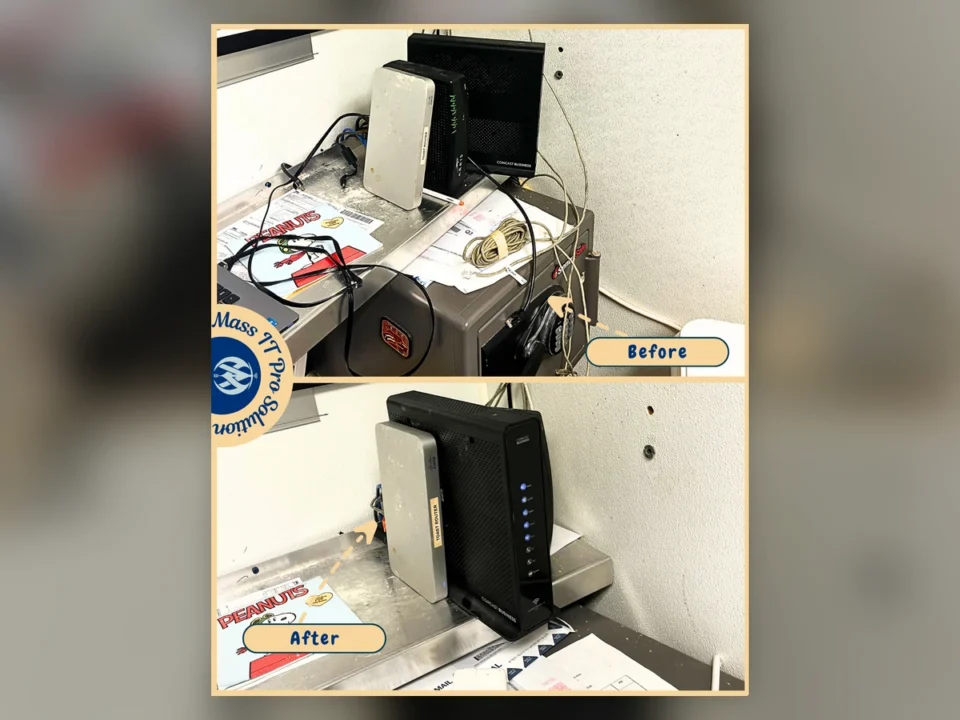
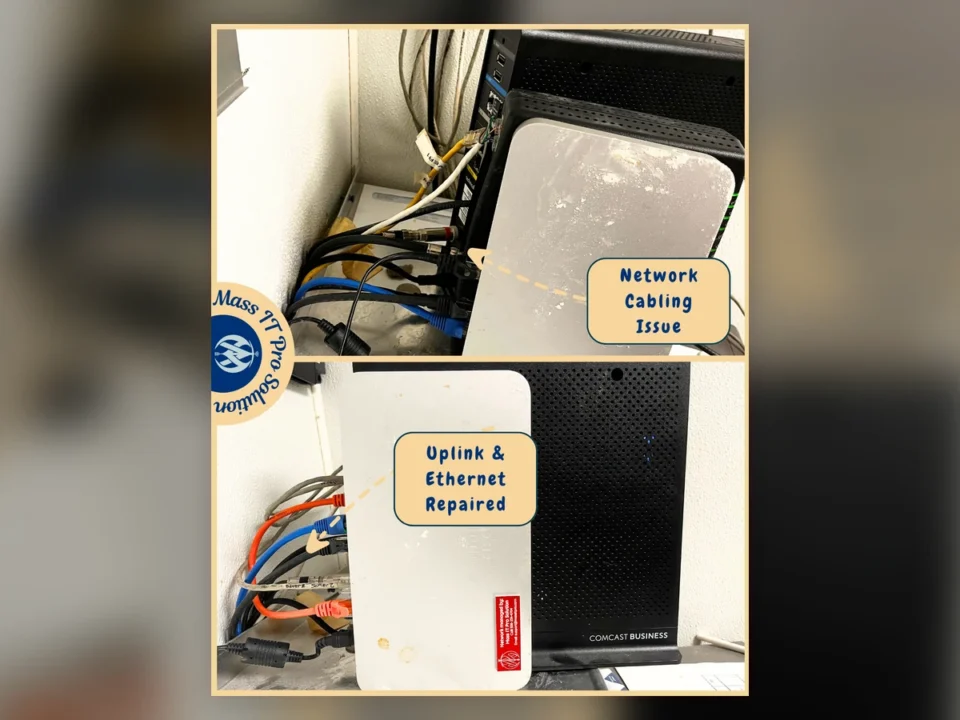
Before-and-after view of restaurant network equipment after Toast POS and network connectivity repairs in Needham, Massachusetts.
Restaurant network cabling before repair and after Ethernet uplink restoration in Needham, Massachusetts.
Restaurants & Hospitality

Restaurant POS, Network & Wi-Fi Recovery in Needham, MA

CHALLENGE

The restaurant was experiencing a network failure affecting its Toast POS environment, with the Toast router unable to receive expected connectivity through the existing network path. The site included multiple interconnected systems, including the Comcast Business modem, Cisco Meraki gateway, Toast networking equipment, switches, wireless access points, POS terminals, and receipt printers. Initial testing found multiple physical-layer problems, including incorrect Ethernet termination at a POS station, damaged or unknown CAT5e RJ45 terminations, and network uplink issues. The existing infrastructure also required tracing between floors to identify the cabling path serving the Toast switch and wireless access point.

SOLUTION

Mass IT Pro Solution performed on-site network diagnostics across the restaurant's POS systems, printers, wireless access points, switches, and internet equipment. The Comcast Business connection was tested and confirmed operational, with approximately 227.4 Mbps download and 23.8 Mbps upload available during testing. Technicians identified and corrected an improperly terminated connection at a POS station, replaced damaged CAT5e RJ45 terminations, and replaced the modem-to-Toast-router uplink with CAT6 cabling. Existing cabling serving the Toast switch was traced to the first floor and reterminated to restore reliable connectivity. After the cabling repairs, the Toast and corporate switches successfully returned online. POS equipment and the receipt printer were tested, including a successful test print. The first-floor wireless access-point cable was also traced and reterminated. Corporate wireless networking was then configured for both 2.4 GHz and 5 GHz operation, wireless channel settings were adjusted, and the existing Netgear wireless extender was configured and validated.

RESULTS
  • Restaurant internet connectivity verified and tested
  • Toast POS network connectivity restored
  • Incorrect POS Ethernet termination corrected
  • Damaged CAT5e RJ45 terminations replaced
  • Modem-to-Toast-router uplink upgraded with CAT6
  • Existing Toast switch cabling traced and reterminated
  • Toast and corporate switches restored to service
  • POS terminal connectivity restored
  • Receipt printer restored and successfully test printed
  • First-floor wireless access-point cabling repaired
  • Corporate 2.4 GHz and 5 GHz Wi-Fi configured
  • Wireless channel settings optimized
  • Netgear wireless extender configured
  • Final connectivity and speed testing completed successfully
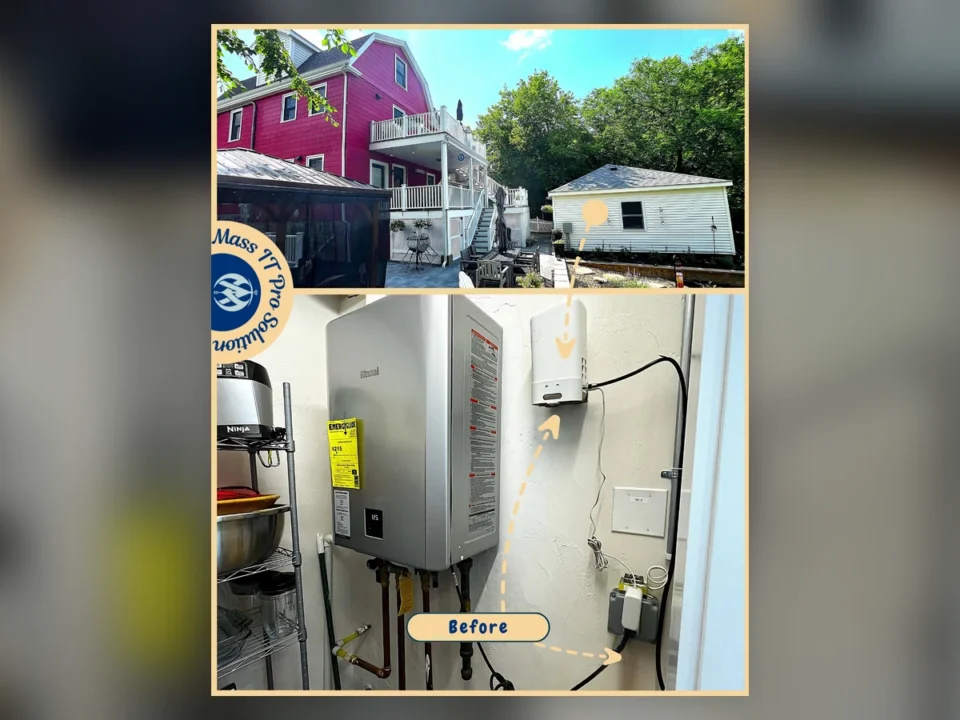
Overview of a Brighton Massachusetts home and detached garage where Mass IT Pro Solution installed a mesh Wi‑Fi system to improve coverage between both buildings.
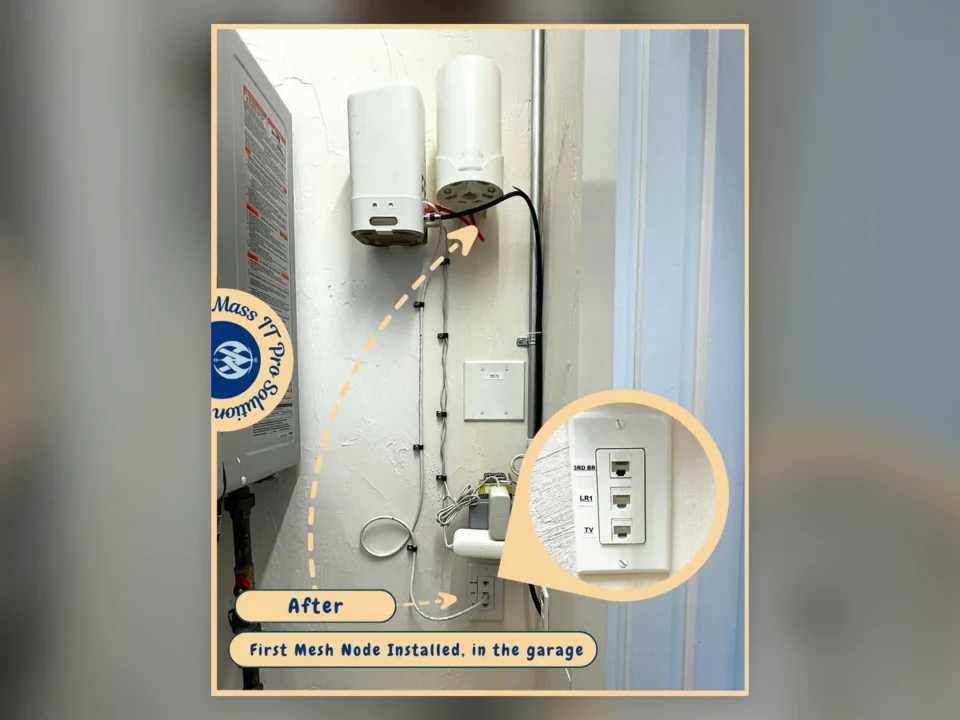
Installed mesh Wi‑Fi node in the garage area with labeled CAT6 wall ports during a residential network upgrade in Brighton Massachusetts.
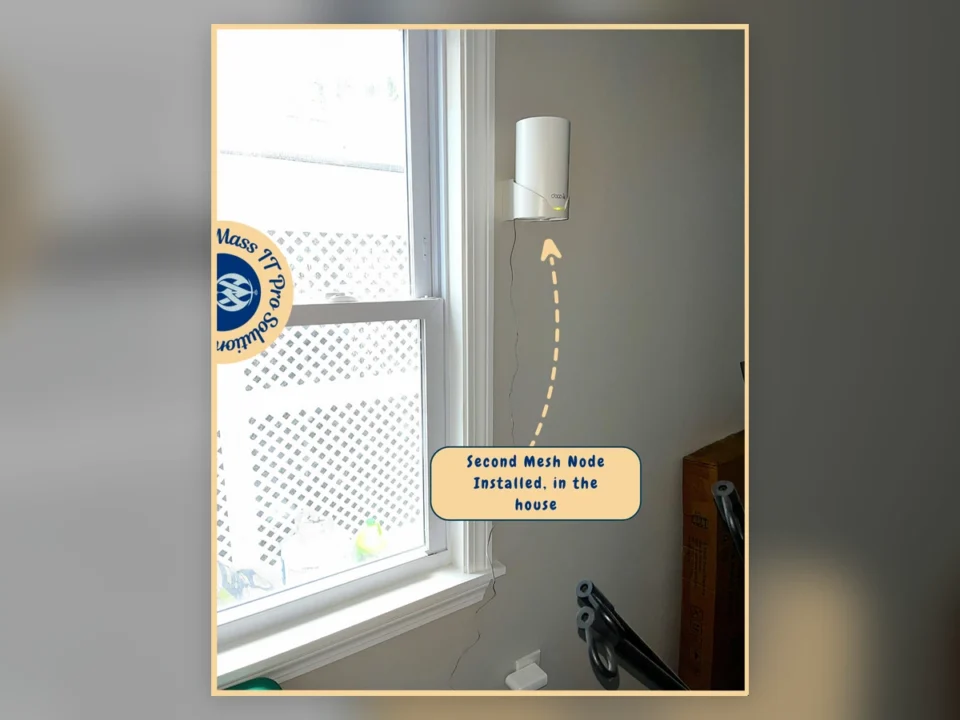
Second TP-Link Deco mesh Wi‑Fi node mounted inside the home to improve whole-home wireless coverage in Brighton Massachusetts.
Residential Networking

Whole-Home & Detached Garage Wi‑Fi Mesh Installation in Brighton, MA

CHALLENGE

The homeowner was experiencing limited wireless coverage between the main home and detached garage and needed a more reliable network design for consistent connectivity across the property. Existing network conditions required on-site assessment, including testing and tracing existing CAT6 wall ports, evaluating possible wired and wireless backhaul options, and determining the best way to improve coverage without relying on an inconsistent or pieced-together setup. The environment also required better wireless optimization, cleaner network organization, and a solution that would support both everyday household use and connectivity in areas farther away from the main network source.

SOLUTION

Mass IT Pro Solution performed an on-site residential network assessment in Brighton and reviewed multiple options for extending connectivity to the detached garage, including trenching, point-to-point wireless, and mesh networking. Based on the layout of the property and the available infrastructure, a mesh Wi‑Fi approach was recommended and deployed. The existing Xfinity gateway and in-home network conditions were evaluated, CAT6 wall ports were tested and labeled, and several network runs were traced and re-terminated where possible. The Xfinity hotspot and gateway wireless radios were disabled so the new wireless environment could be managed more cleanly. A TP-Link Deco mesh system was then configured with the primary SSID, updated security settings, a dedicated IoT network, and optimized wireless settings. Mesh nodes were installed in strategic locations throughout the home and garage-side areas to improve overall signal strength and support better roaming and performance. Firmware updates were completed, cable management was improved, speed testing was performed, and the client’s mobile devices were connected and configured for easy access and management of the new mesh network.

RESULTS
  • Improved Wi‑Fi coverage throughout the home and toward the detached garage
  • Mesh network designed and deployed based on the property layout
  • Existing CAT6 wall ports tested, labeled, and documented
  • Xfinity gateway optimized for use with the new mesh network
  • Xfinity hotspot and built-in wireless radios disabled
  • Primary wireless network configured and secured
  • Dedicated IoT wireless network created
  • Firmware updates completed on network equipment
  • Strategic mesh node placement improved signal strength and roaming
  • Client devices connected and configured for use with the new system
  • Speed testing and final validation completed across the network
  • Cleaner and more manageable residential network environment delivered
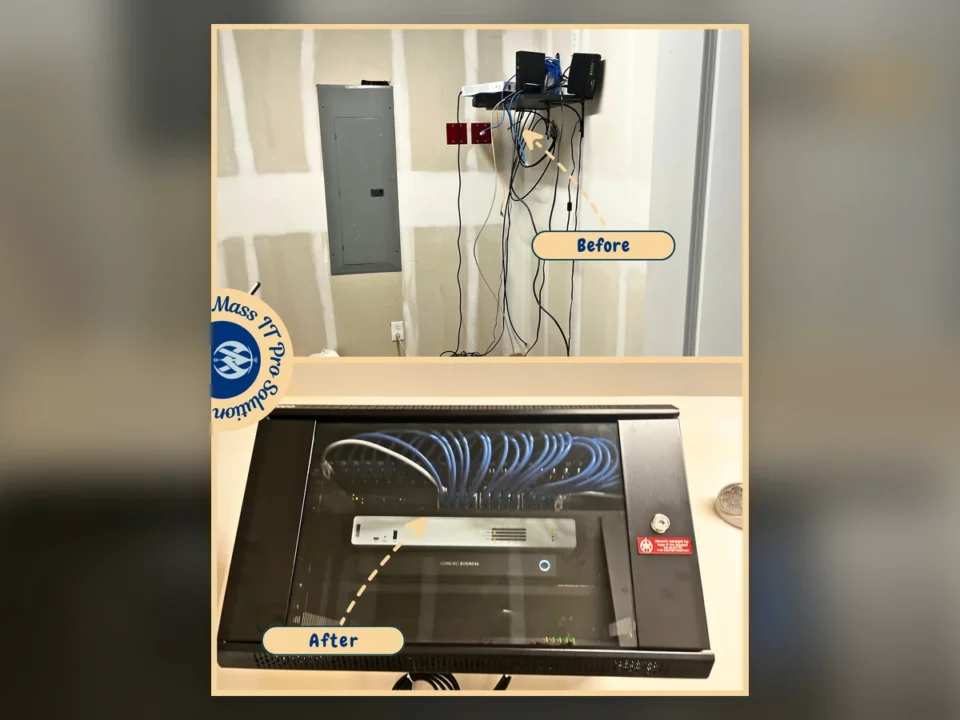
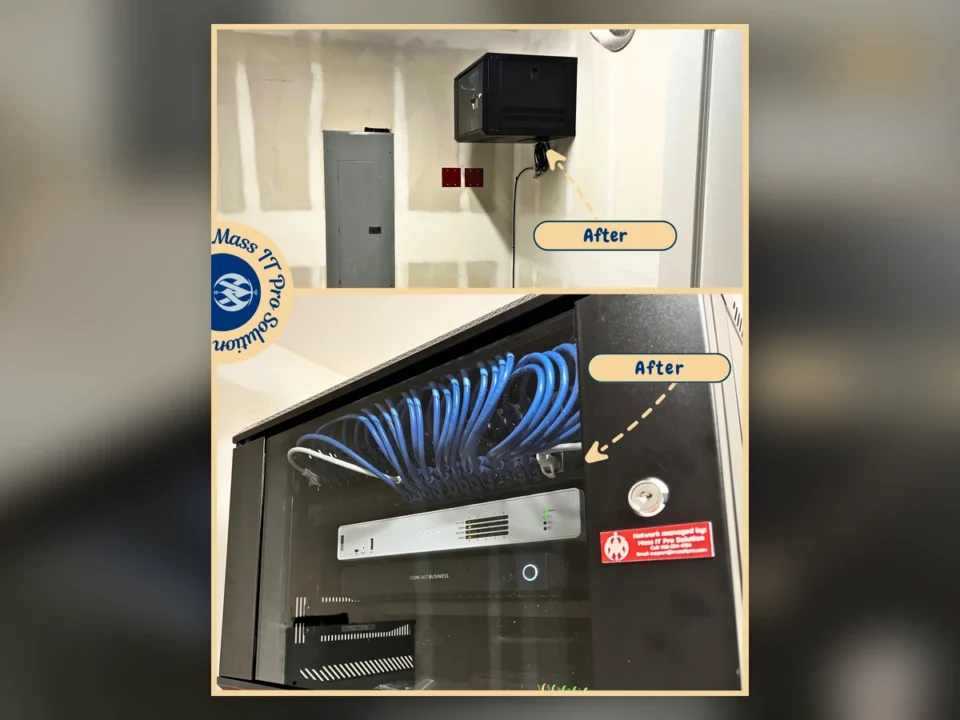
Before-and-after network rack upgrade for a Massachusetts excavation company, replacing loose network equipment with a secured rack and organized cabling.
Completed wall-mounted network rack with organized Ethernet cabling, Sophos firewall, and business network equipment for a Massachusetts excavation company.
Construction & Trades

Excavation Company Network Infrastructure & Security Upgrade

CHALLENGE

The company's network equipment was spread across an open wall shelf with loose cabling and separate firewall, switching, modem, and wireless hardware that was difficult to service and maintain. The business needed its network centralized into a secure rack, its firewall and wireless infrastructure properly configured, and its office workstations brought under a more consistent Microsoft 365, patching, endpoint protection, remote management, and backup environment. During follow-up support, affected workstations also experienced MiniFuel application latency while connected to required VPN resources.

SOLUTION

Mass IT Pro Solution reviewed the existing network, traced and tested RJ45 cabling, reset the Comcast Business modem, disabled the modem's wireless function, and removed the previous firewall, switch, and wireless access point. We mounted a new network rack, installed a 24-port TP-Link Omada switch, rack shelf, UPS power protection, and migrated the network equipment into the secured enclosure. We activated and configured the Sophos firewall, cloud management, internal network settings, and security controls, then deployed the Omada network controller and configured the wireless networks. Firmware was updated across the supported network equipment, and workstation, monitor, and printer connectivity was completed. Microsoft 365 applications were installed and licensing verified on office PCs. Remote management, patching, endpoint protection, and backup agents were also installed and verified where applicable. During follow-up troubleshooting, Mass IT Pro Solution isolated SMB Multichannel as the source of MiniFuel latency on the affected workstations. SMB Multichannel was disabled on those systems, the workstations were restarted, and application performance returned to normal while required VPN access to cloud resources remained operational.

RESULTS
  • Network equipment centralized inside a secured wall-mounted rack
  • Existing cabling traced, tested, patched, and organized
  • 24-port TP-Link Omada managed switching installed and configured
  • Sophos firewall licensed, cloud-synced, and secured
  • Business wireless networks configured through the Omada controller
  • UPS power protection added for critical network equipment
  • Microsoft 365 applications and licensing verified on office PCs
  • Remote management, patching, endpoint protection, and backup agents installed and verified
  • Legacy endpoint-security conflicts identified for follow-up on affected workstations
  • MiniFuel application performance restored after SMB Multichannel troubleshooting
  • Required VPN connectivity to cloud resources remained operational
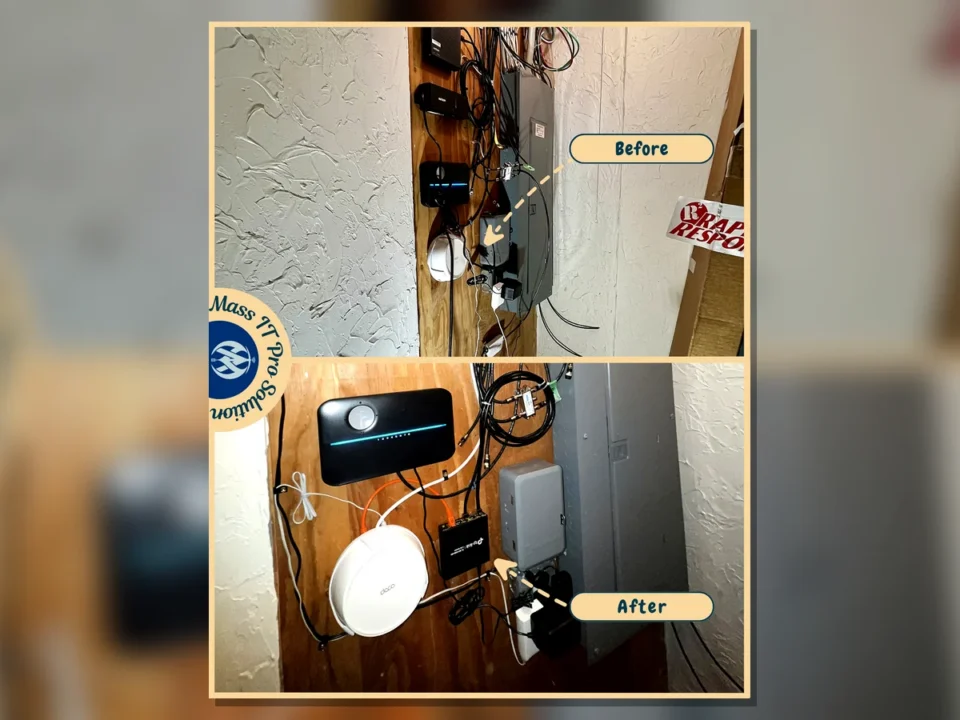
Before and after Verizon Fios network equipment cleanup with TP-Link Deco mesh Wi-Fi and CAT6 wired backhaul
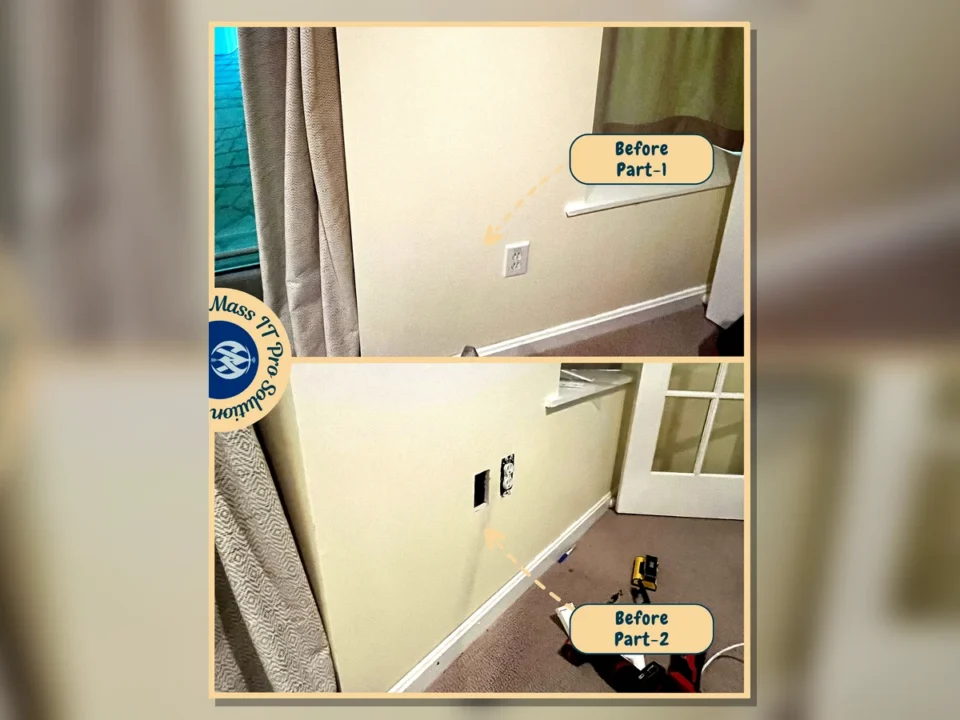
Before and after CAT6 wall jack and wall-mounted TP-Link Deco mesh access point installation
Before and after wall-mounted TP-Link Deco access point connected for whole-home Wi-Fi coverage
Wall-mounted TP-Link Deco mesh access points installed across a multi-story Massachusetts home
Residential Mesh Wi-Fi

TP-Link Deco Mesh Wi-Fi With CAT6 Wired Backhaul

CHALLENGE

The home had inconsistent wireless coverage and an unfinished network foundation. CAT6 cabling reached several rooms, but loose wall cables, incomplete terminations, unclear basement connections, and poorly supported mesh placement kept the system from using reliable Ethernet backhaul. The Verizon Fios gateway, switch connections, and Deco units also needed to be configured as one coordinated network rather than separate pieces of equipment.
SOLUTION

Mass IT Pro Solution traced and terminated the existing CAT6 runs, installed finished RJ45 wall plates, labeled the basement connections, and added a TP-Link five-port switch. TP-Link Deco units were wall-mounted at selected locations and configured in access point mode behind the Verizon Fios gateway. The nodes were connected through CAT6 Ethernet backhaul, firmware was updated, WPS was disabled, WPA2/WPA3 security was enabled, and a separate IoT network was created for compatible home devices. We then confirmed the wired links, mesh status, roaming, internet connectivity, and wireless performance throughout the home.
RESULTS
  • TP-Link Deco nodes connected through CAT6 Ethernet backhaul
  • Cleaner and labeled basement network equipment layout
  • Finished RJ45 wall plates and wall-mounted mesh units
  • Verizon Fios gateway and Deco system configured to work together
  • WPA2/WPA3 security, updated firmware, and a separate IoT network enabled
  • Whole-home wired and wireless connectivity tested
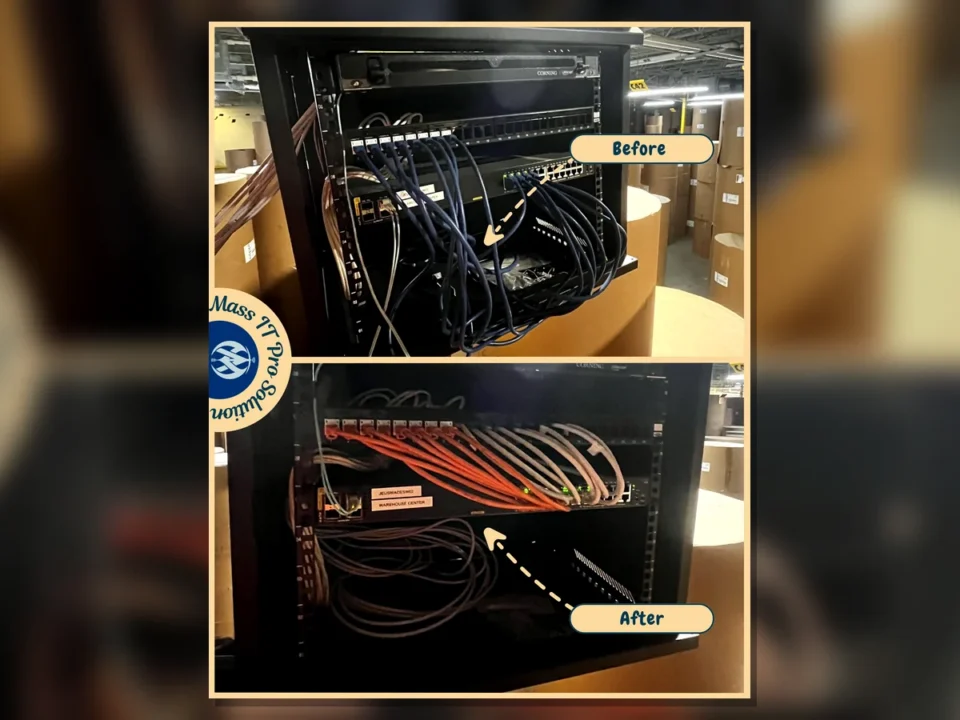
Warehouse rack before and after cable cleanup by Mass IT Pro Solution
Switch rack cable management cleanup by Mass IT Pro Solution
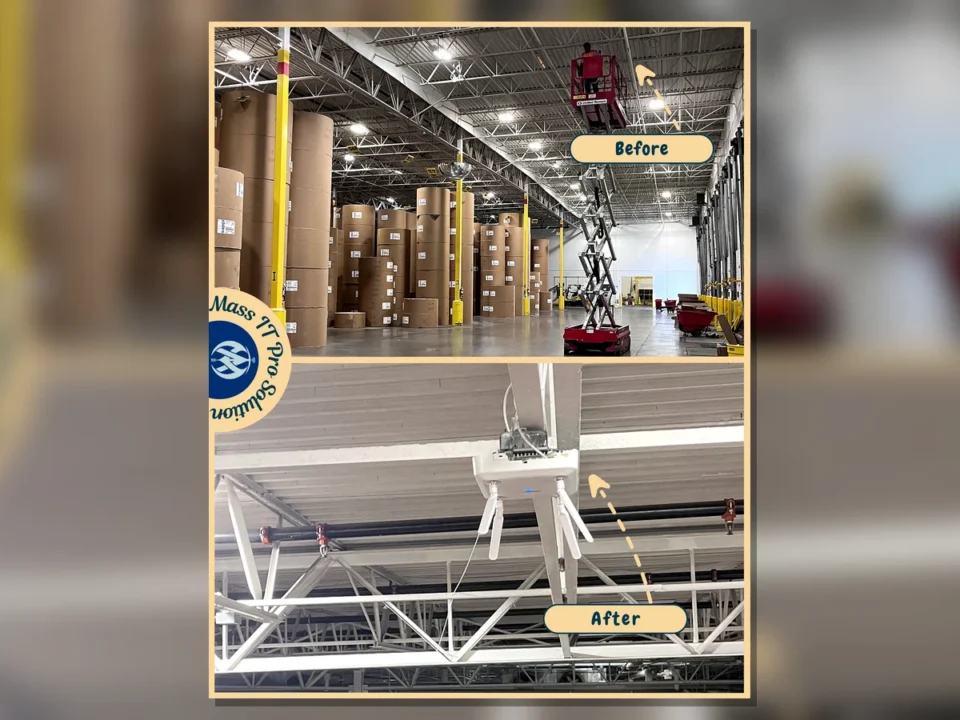
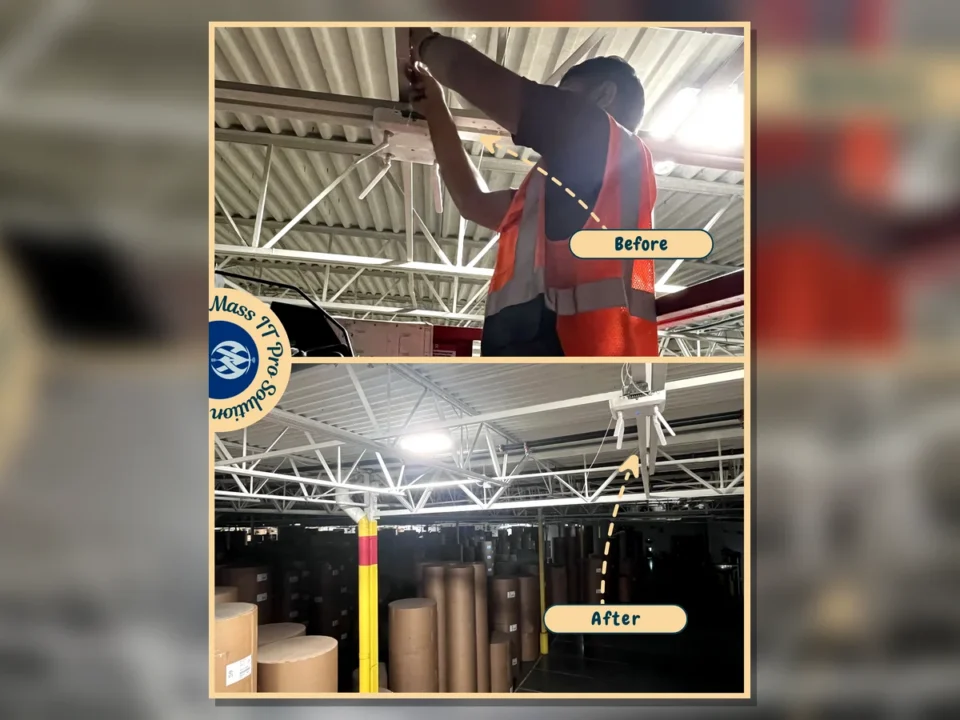
Warehouse access point installation by Mass IT Pro Solution
Ceiling cable routing for access points by Mass IT Pro Solution
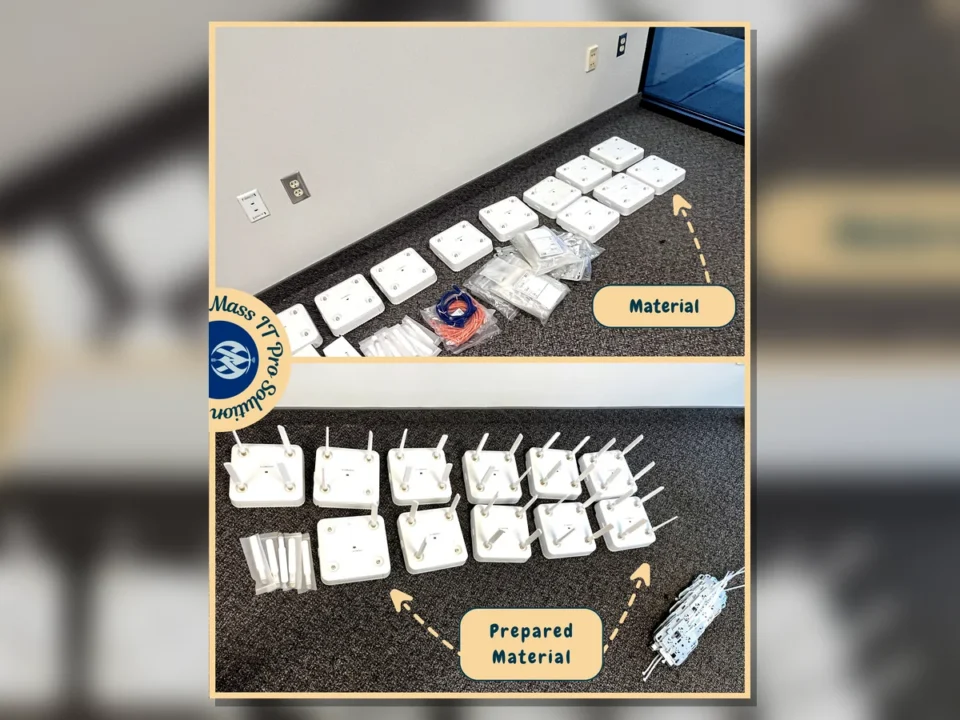
Prepared access point mounting hardware by Mass IT Pro Solution
Warehouse Networking

Warehouse CAT6 Cabling and Access Point Installation

CHALLENGE

The warehouse needed properly mapped access point locations, cleaner rack cabling, and reliable CAT6 runs to support Wi-Fi coverage across a large working area.

SOLUTION

Mass IT Pro Solution mapped the AP locations, pulled and terminated CAT6 runs, mounted Cisco access points, connected APs to designated switches, labeled cabling, and cleaned up rack cable routing.

RESULTS
  • 17 warehouse AP locations completed
  • CAT6 runs terminated, toned, and tested
  • AP uplinks verified from the switch
  • Cleaner rack and cable management
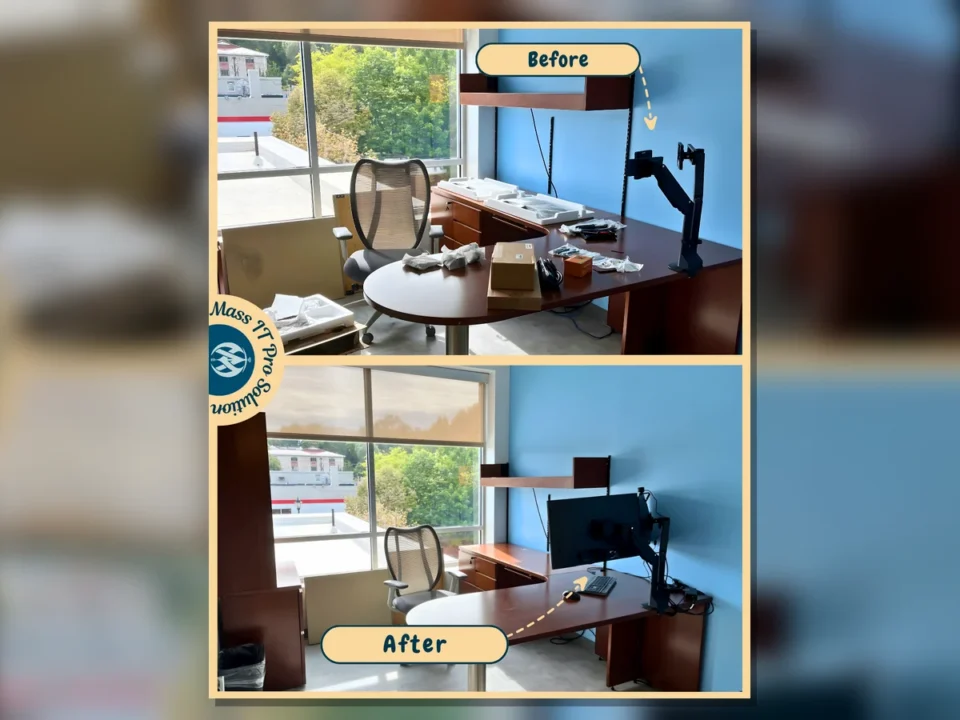
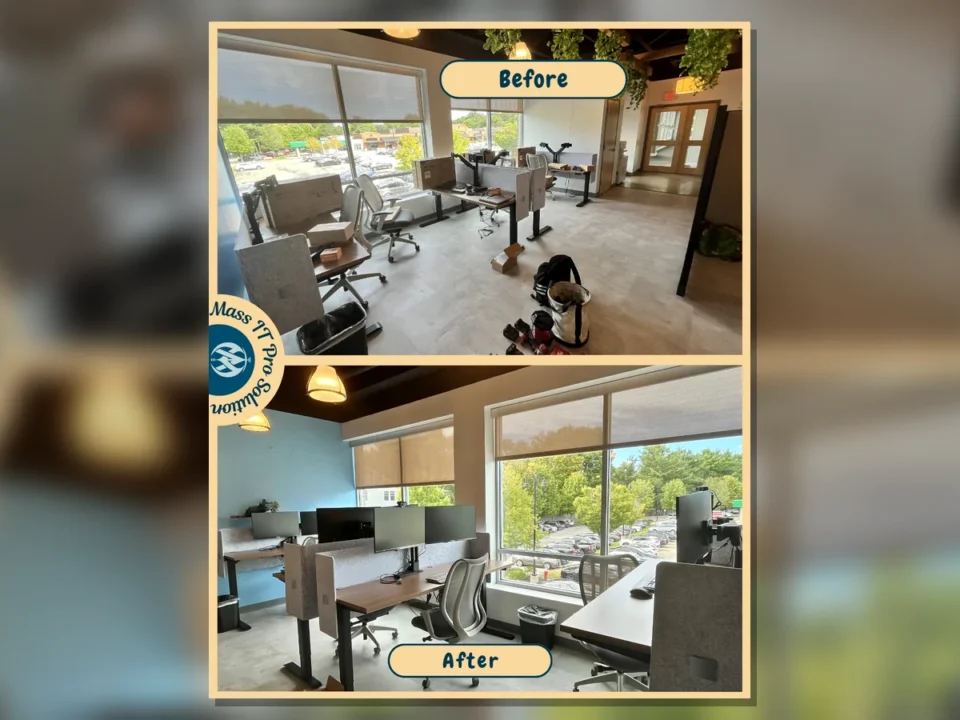
Office desk before and after workstation setup by Mass IT Pro Solution
Office floor before and after setup by Mass IT Pro Solution
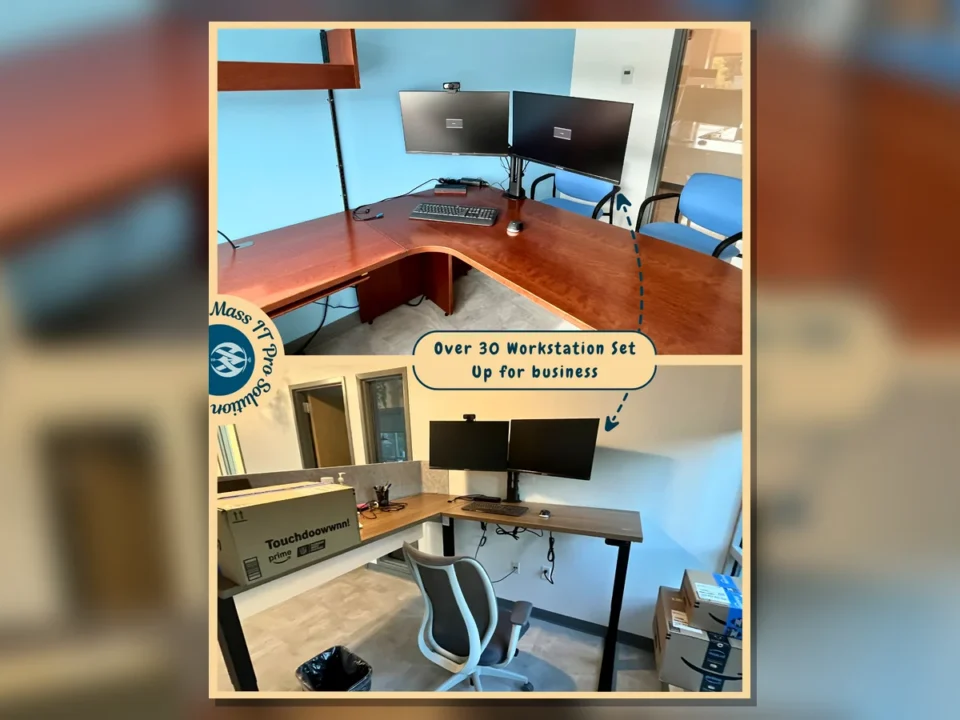
Dual monitor business workstation by Mass IT Pro Solution
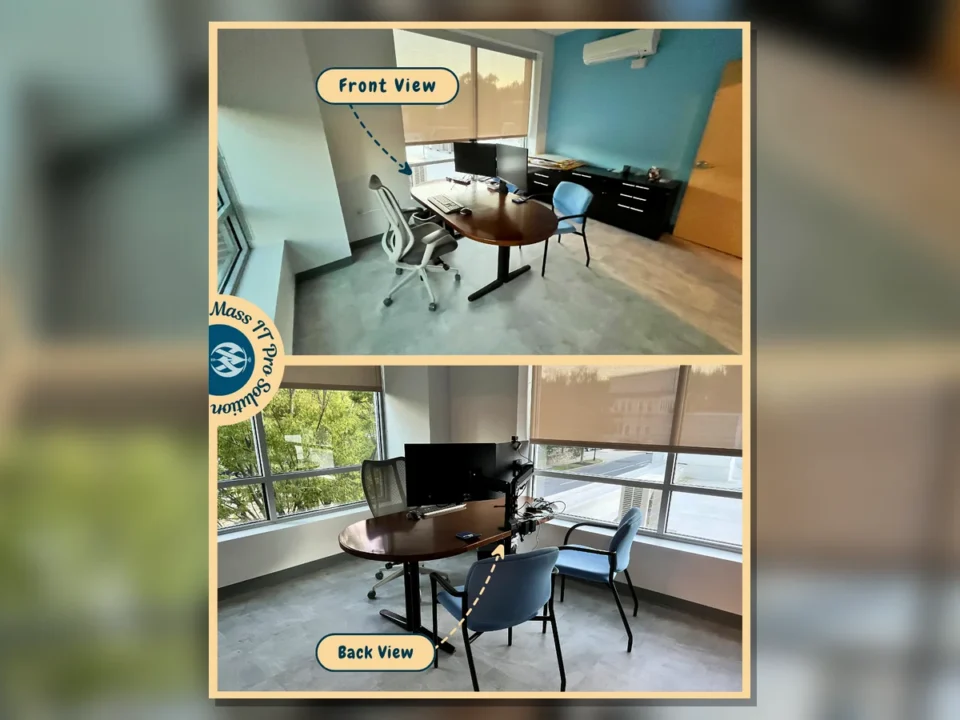
Finished corner workstation view by Mass IT Pro Solution
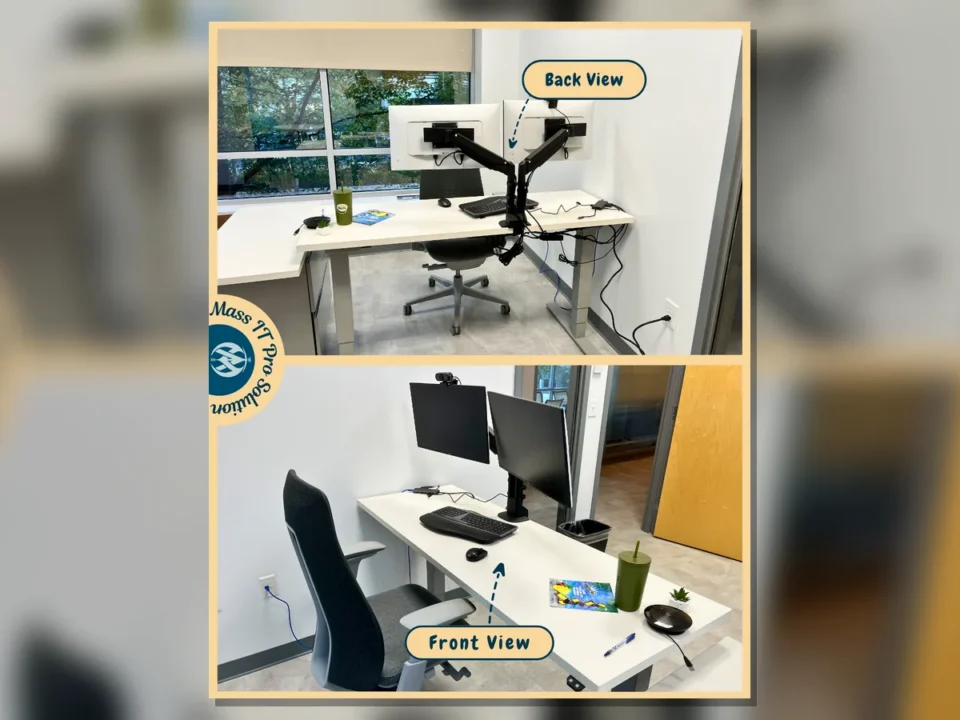
White desk workstation front and back view by Mass IT Pro Solution
Clean under desk cable management by Mass IT Pro Solution
Small Business Operations

Business Office Workstation Setup and Cable Cleanup

CHALLENGE

The office needed multiple workstations assembled and connected cleanly without leaving visible cable clutter or unfinished user setups.

SOLUTION

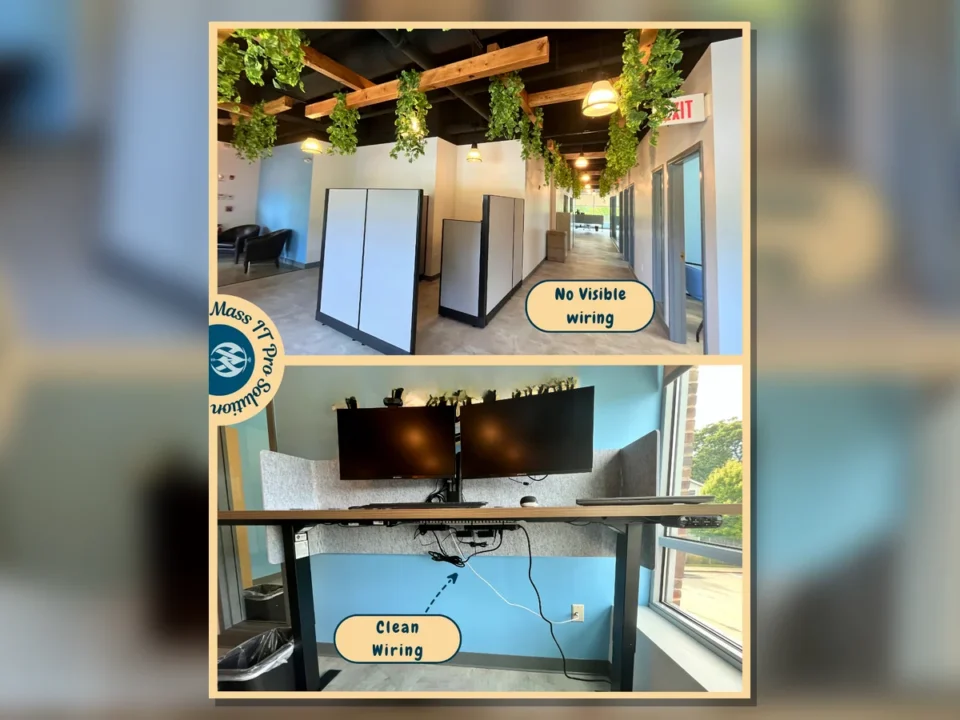
Mass IT Pro Solution installed monitor arms, connected dual-monitor workstations, set up peripherals, checked network access, and cleaned visible wiring around desks and work areas.

RESULTS
  • Workstations ready for daily use
  • Dual-monitor layouts completed
  • Peripherals connected and tested
  • Visible cable clutter reduced
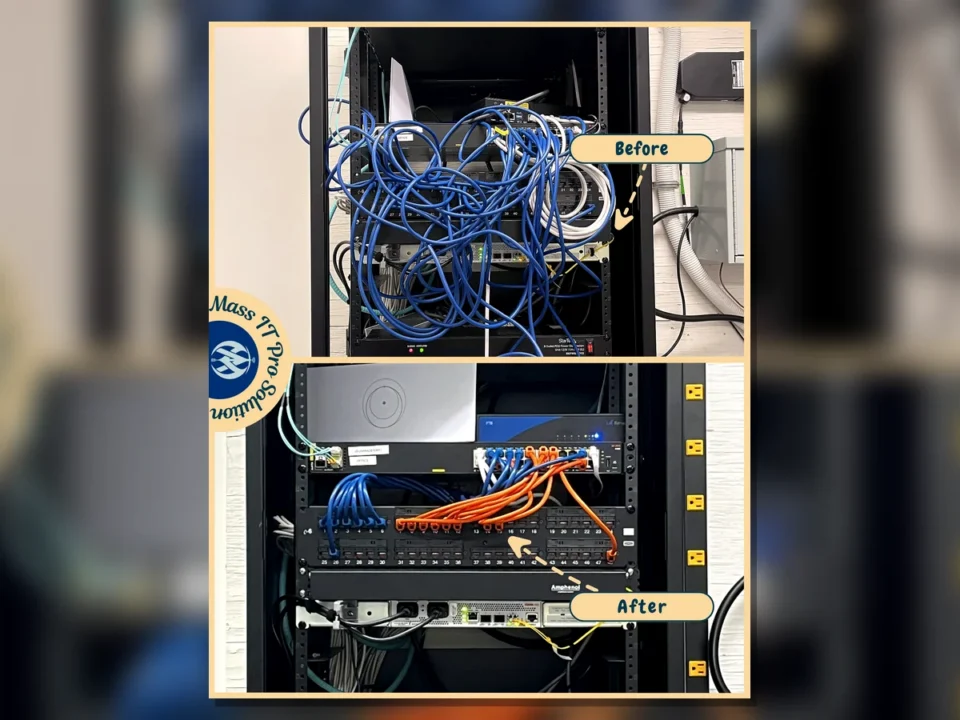
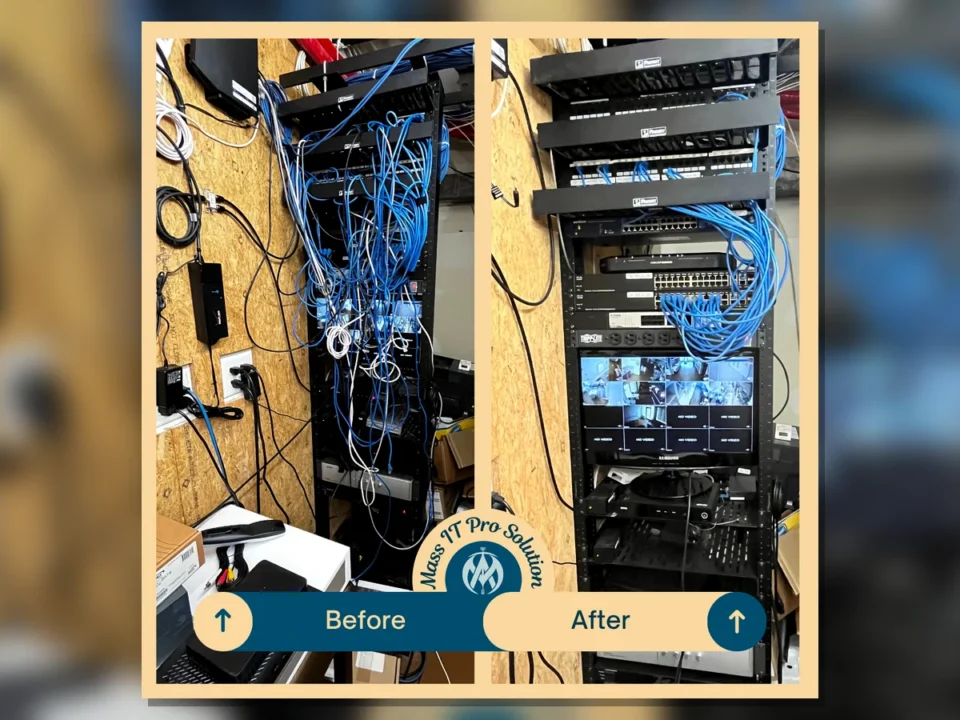
Network rack before and after cleanup by Mass IT Pro Solution
Small Business IT Infrastructure

Network Rack Cleanup and Cable Management

CHALLENGE

The network rack had messy cabling and equipment placement that made troubleshooting slower and future changes harder to manage.

SOLUTION

Mass IT Pro Solution cleaned up the rack layout, organized patch cabling, improved visible cable routing, and left the equipment easier to identify and service.

RESULTS
  • Cleaner rack presentation
  • Improved patch cable organization
  • Faster access for troubleshooting
  • More professional network environment
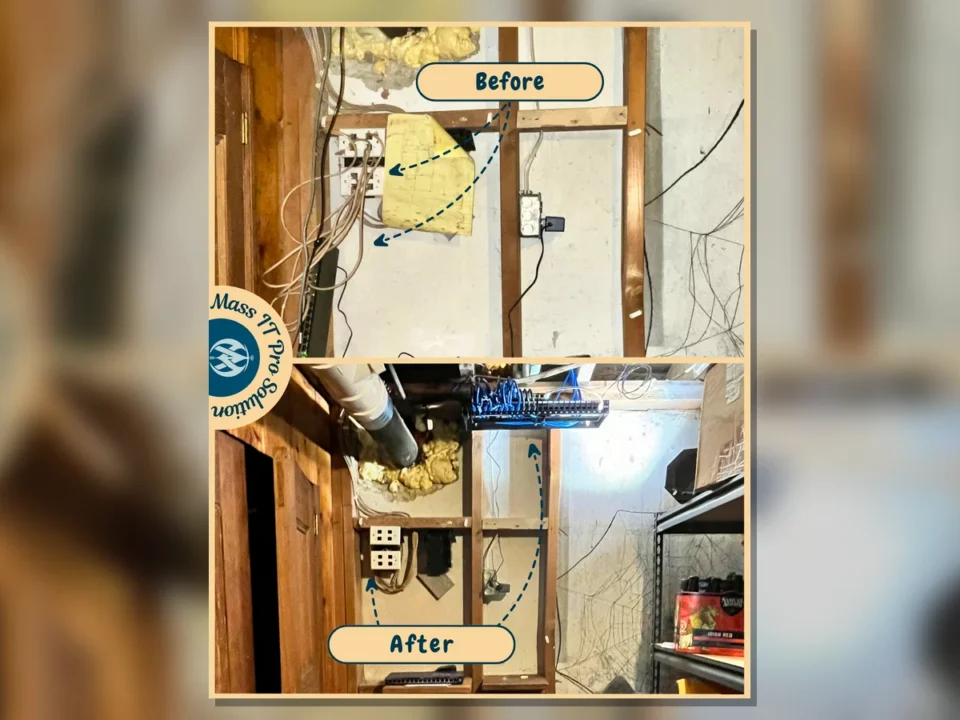
Home network equipment before and after cleanup by Mass IT Pro Solution
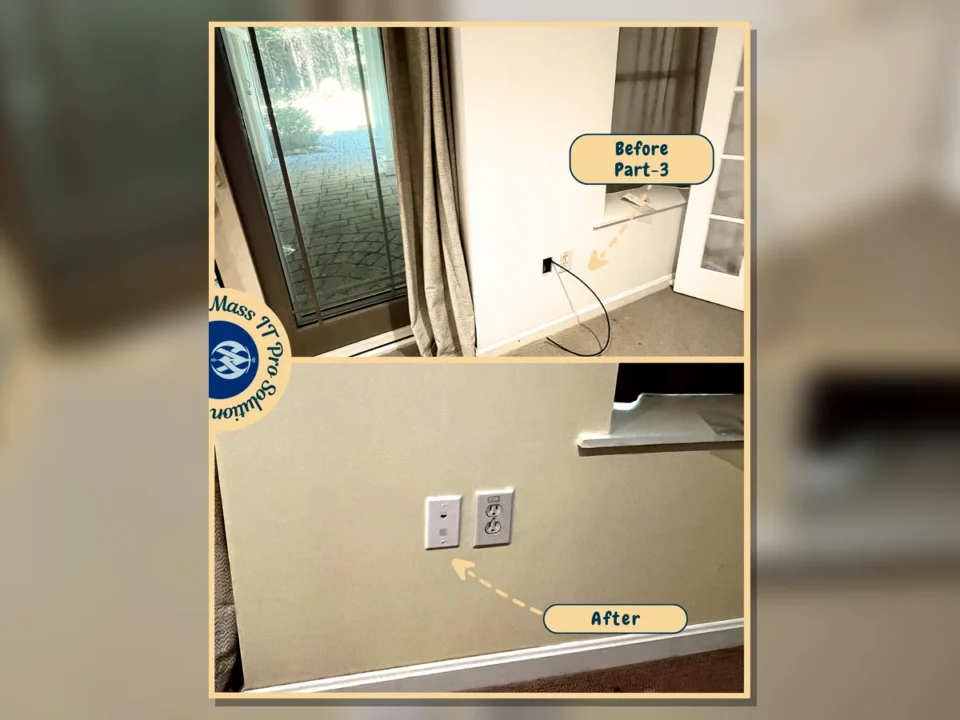
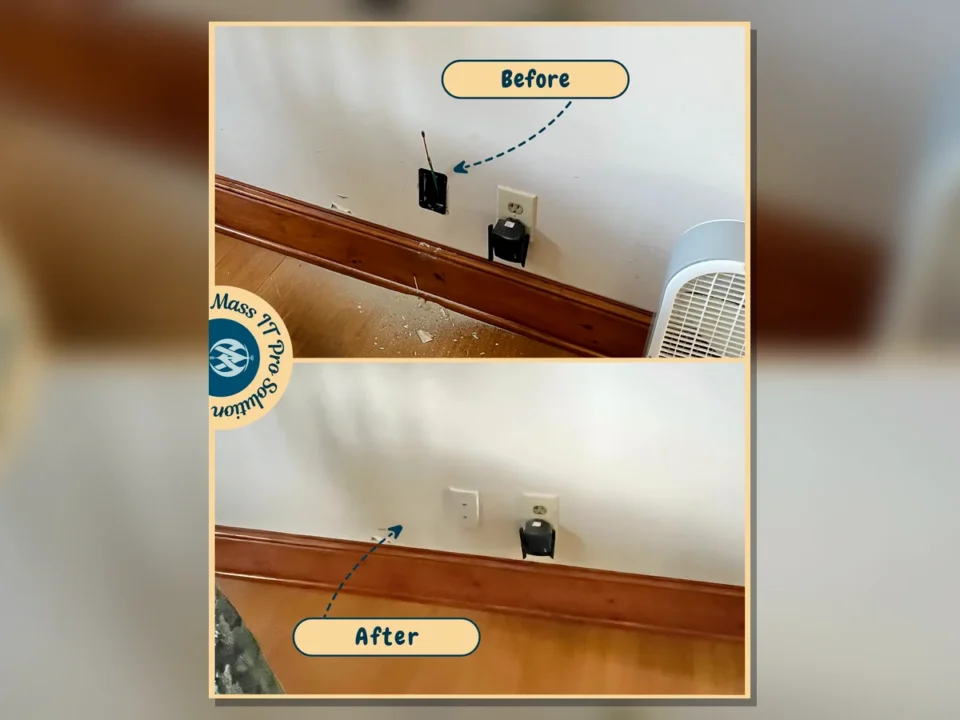
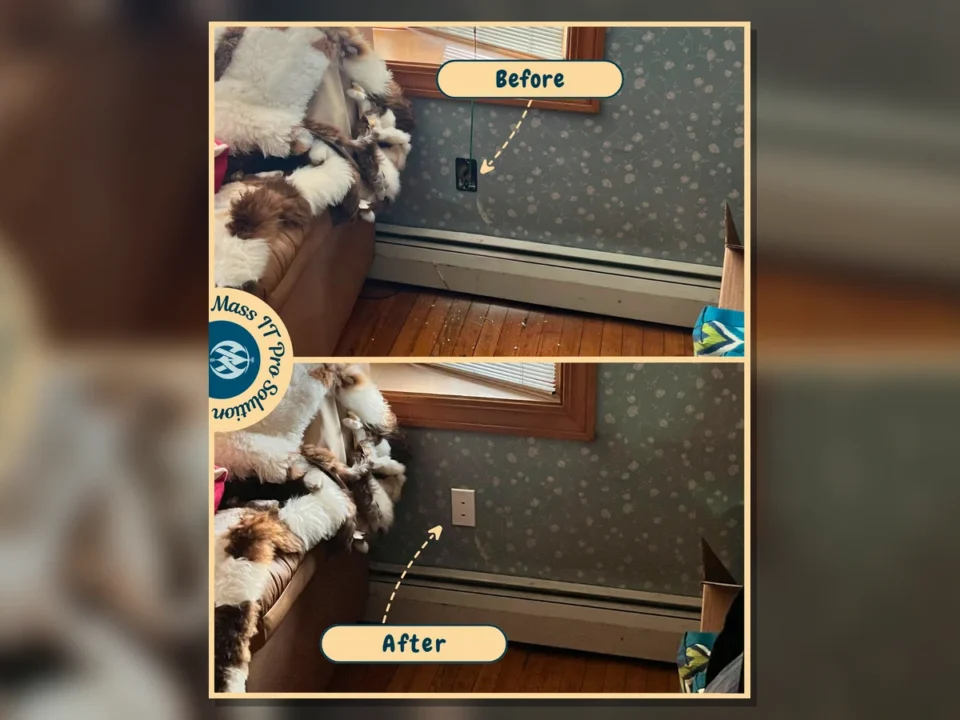
Interior wall location before network drop by Mass IT Pro Solution
Finished RJ45 wall plate installation by Mass IT Pro Solution
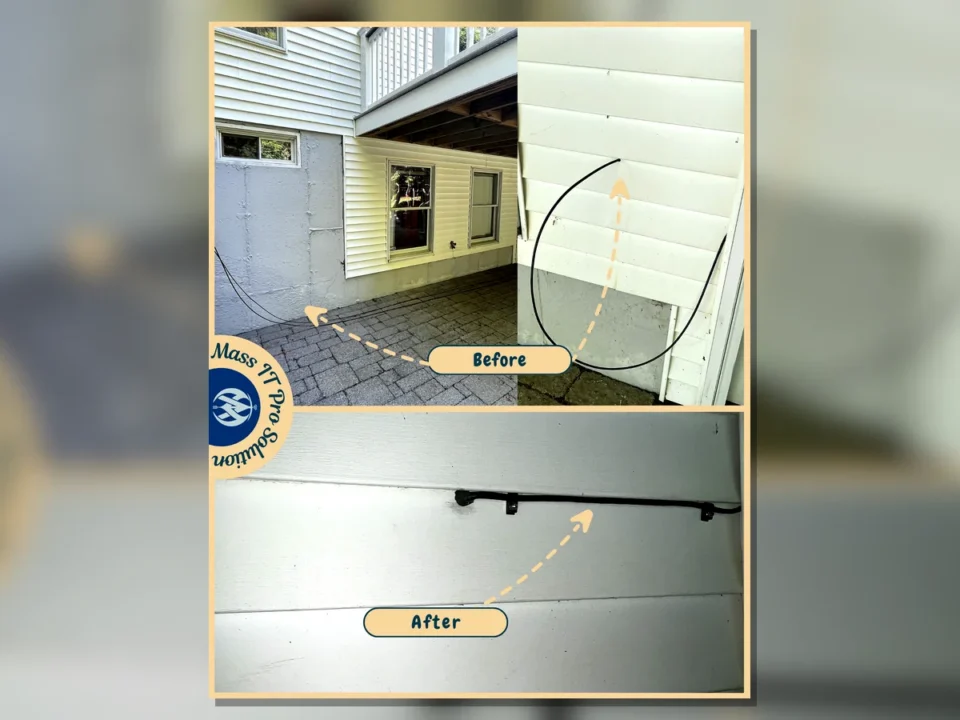
Exterior CAT6 cable route by Mass IT Pro Solution
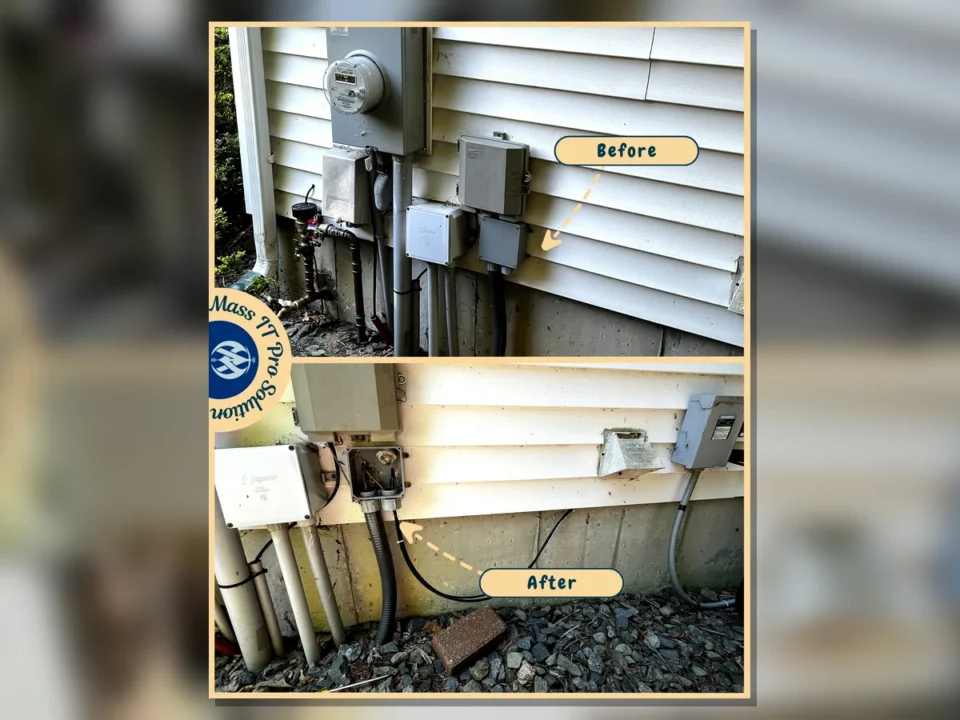
Exterior cable entry and service area by Mass IT Pro Solution
Residential / Home Networking

Home Mesh Wi-Fi and Wired Network Upgrade

CHALLENGE

The home network had old equipment, weak cabling organization, and limited wired connectivity for better mesh Wi-Fi performance.

SOLUTION

Mass IT Pro Solution removed old equipment, ran shielded CAT6 from the basement to the first-floor office, installed a low-voltage RJ45 wall plate, mounted a 2.5Gb switch, organized patch cabling, and reconnected Deco mesh units through wired drops.

RESULTS
  • Shielded CAT6 runs completed
  • RJ45 wall plate installed and tested
  • Deco mesh units hardwired where needed
  • Final wired and Wi-Fi testing passed
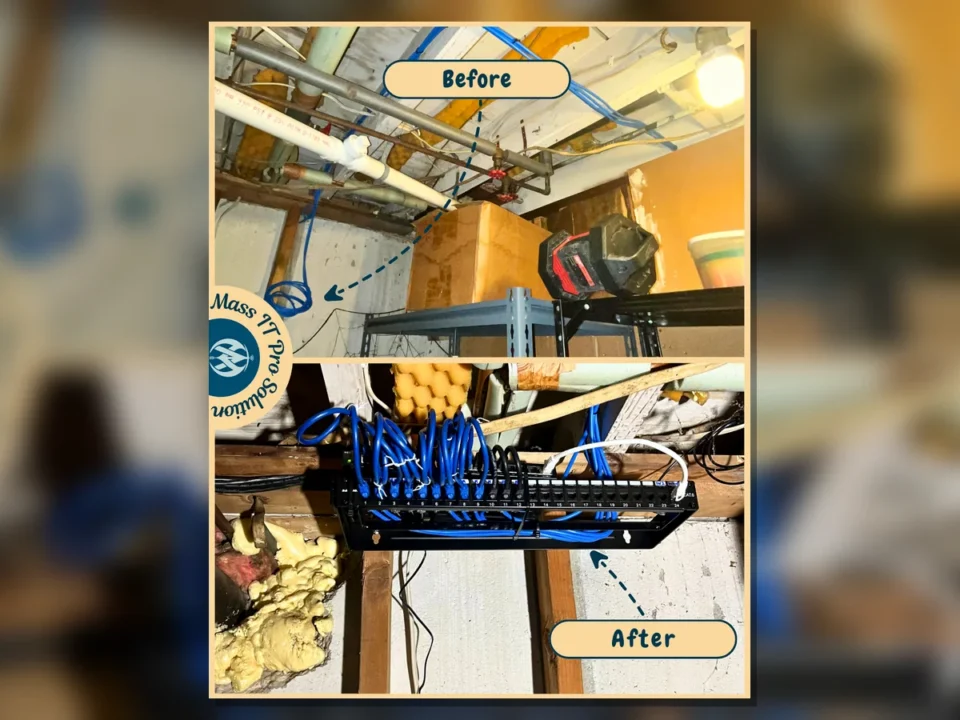
Basement patch panel before and after by Mass IT Pro Solution
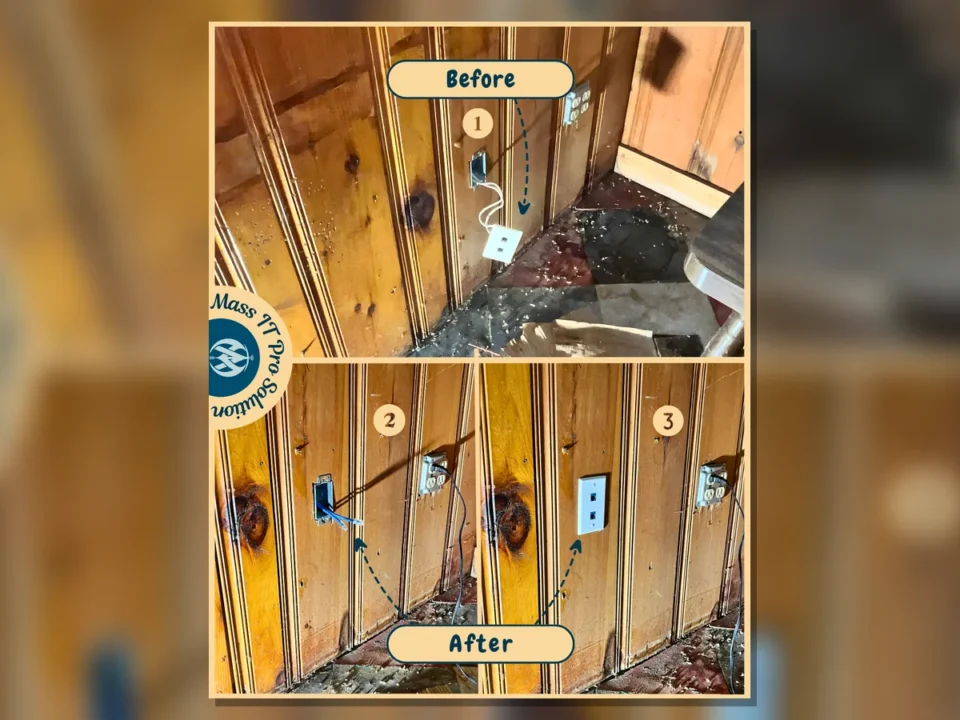
Wall plate repair and cable cleanup by Mass IT Pro Solution
Finished low voltage wall plate by Mass IT Pro Solution
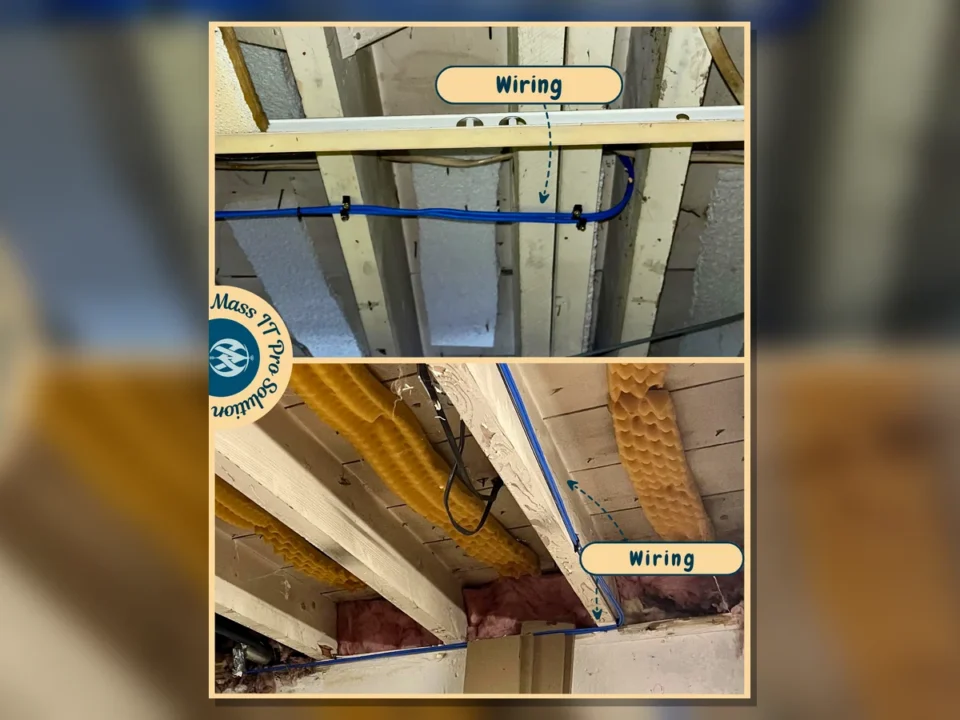
Basement CAT6A cable routing by Mass IT Pro Solution
Wood panel Ethernet wall plate by Mass IT Pro Solution
Basement network area cleanup by Mass IT Pro Solution
Residential / Wired Networking

Residential CAT6A Network Drop and Patch Panel Install

CHALLENGE

The home needed cleaner wired network drops and better cable organization instead of relying only on weak or inconsistent Wi-Fi coverage.

SOLUTION

Mass IT Pro Solution routed CAT6A cabling, installed RJ45 keystone wall plates, organized the basement cabling, and connected the new lines through a patch panel for easier serviceability.

RESULTS
  • Wired network drops added
  • Wall plates installed cleanly
  • Basement cabling organized
  • Patch panel layout improved
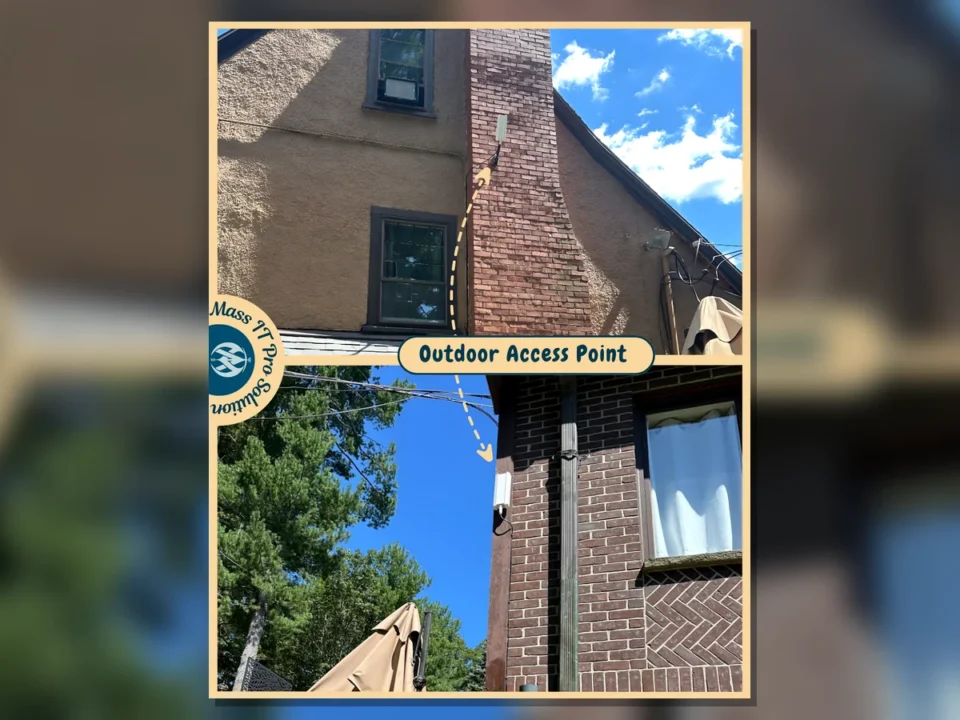
Outdoor residential access point by Mass IT Pro Solution
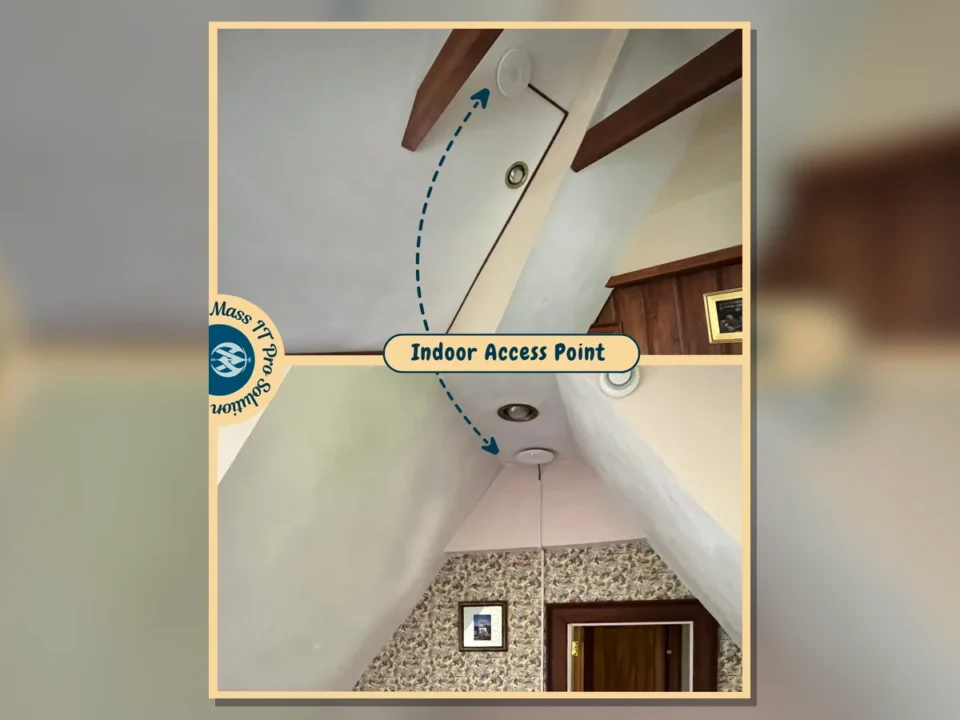
Indoor ceiling access points by Mass IT Pro Solution
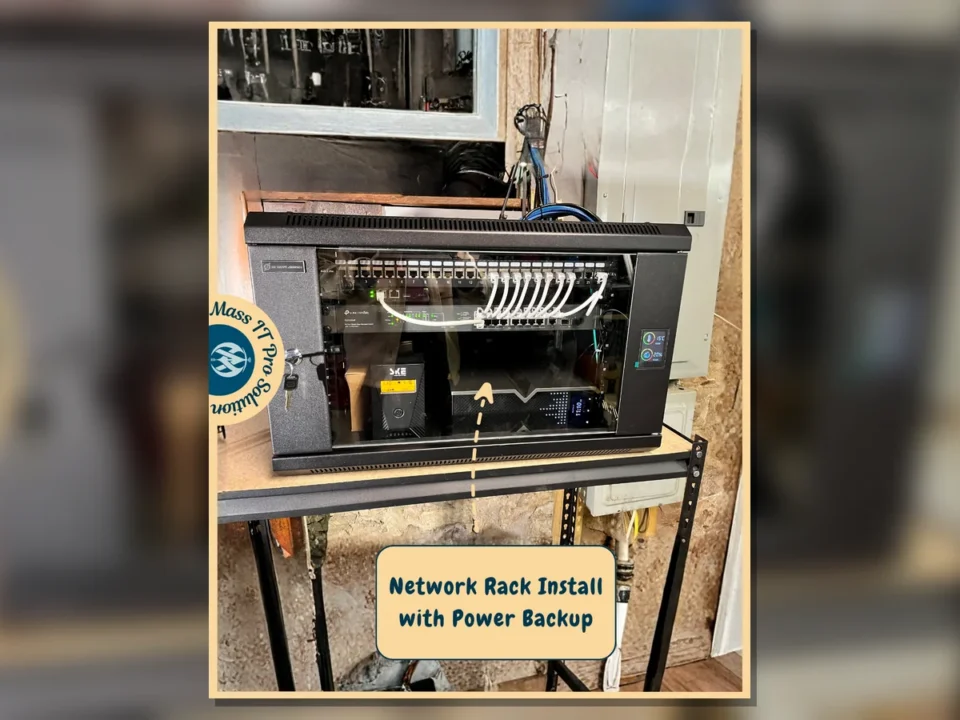
Residential network rack with power backup by Mass IT Pro Solution
Residential / Wi-Fi Coverage

Residential Access Point and Network Rack Installation

CHALLENGE

The property needed stronger wireless coverage indoors and outdoors, plus a cleaner network equipment location to support the access points.

SOLUTION

Mass IT Pro Solution installed indoor and outdoor access points, set up a network rack with power backup, connected the network equipment, and checked coverage-related placement.

RESULTS
  • Indoor access point installed
  • Outdoor access point installed
  • Network rack installed
  • Power backup added to network setup
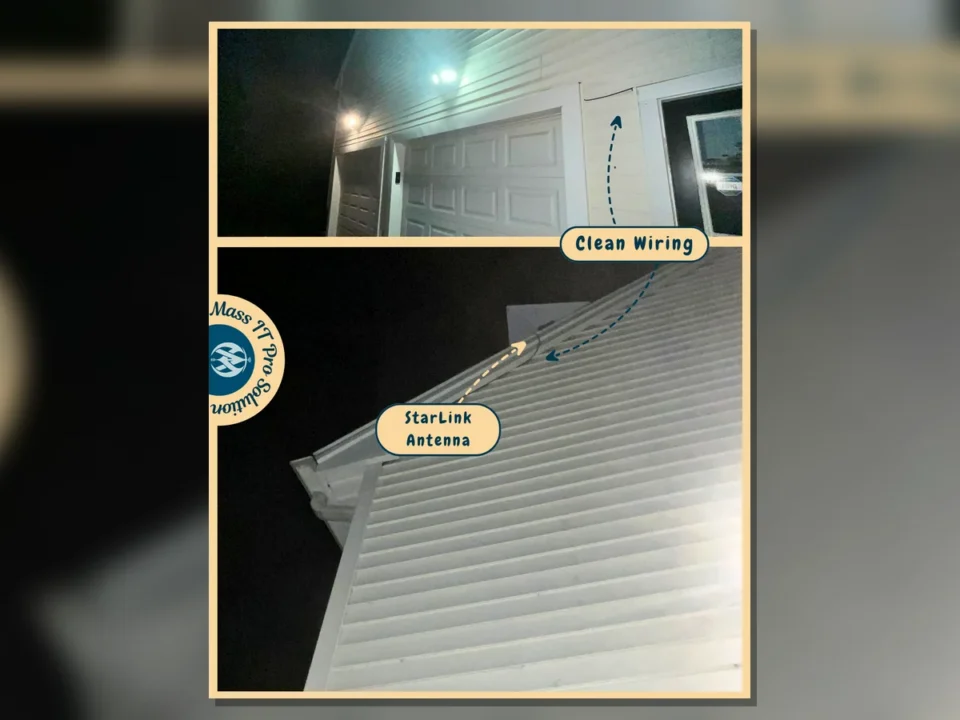
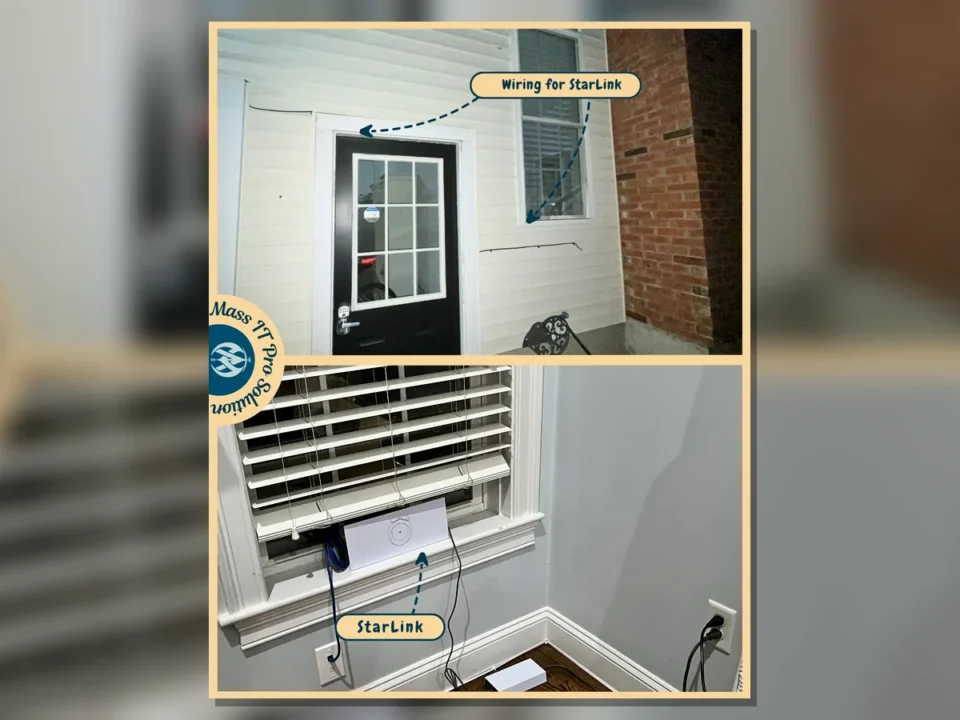
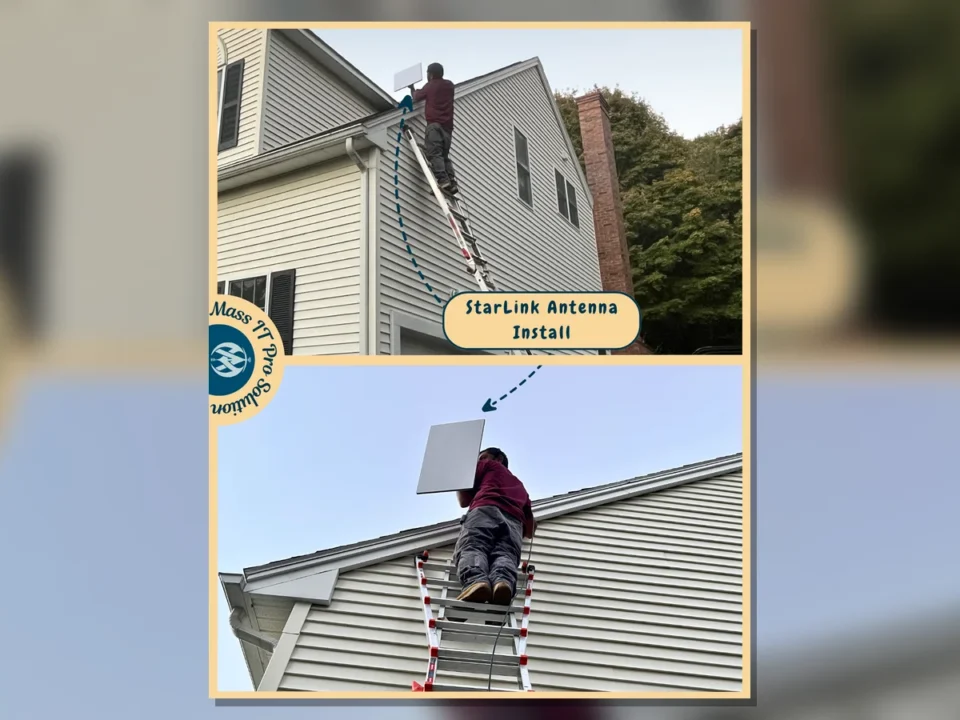
Starlink wiring and interior router placement by Mass IT Pro Solution
Starlink antenna mounting by Mass IT Pro Solution
Exterior Starlink antenna and clean wiring by Mass IT Pro Solution
Residential / Internet Connectivity

Starlink Internet Installation and Cable Routing

CHALLENGE

The property needed Starlink equipment mounted and routed cleanly so the internet service could be used without loose or exposed cabling.

SOLUTION

Mass IT Pro Solution mounted the Starlink antenna, routed the required cabling, placed the interior Starlink equipment, and tested the connection after setup.

RESULTS
  • Starlink antenna mounted
  • Interior equipment connected
  • Cable routing cleaned up
  • Internet service tested after setup
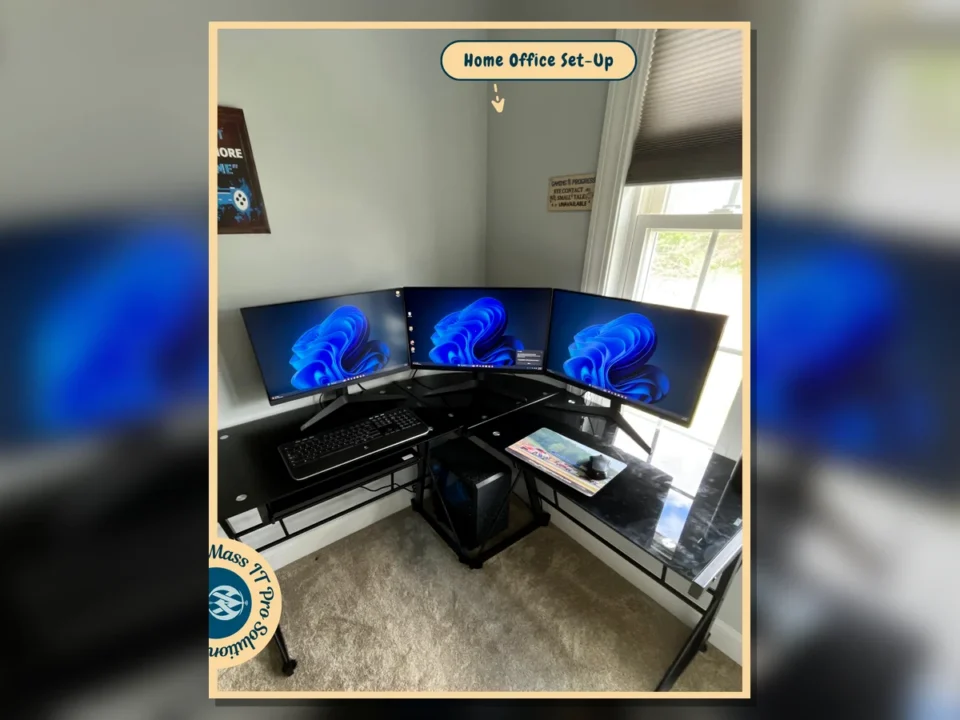
Triple monitor home office setup by Mass IT Pro Solution
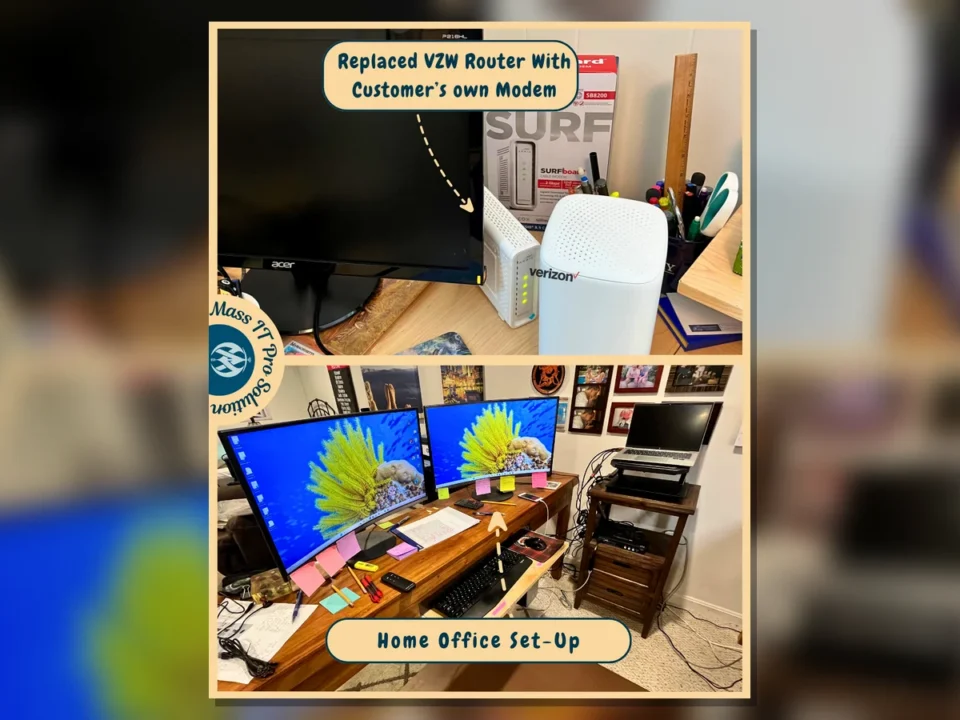
Router replacement and workstation setup by Mass IT Pro Solution
Residential / Remote Work

Home Office Workstation and Mesh Wi-Fi Setup

CHALLENGE

The home office needed a reliable workstation layout, better network access, and cleaner placement for Wi-Fi and Ethernet equipment.

SOLUTION

Mass IT Pro Solution set up the workstation displays, reviewed Ethernet connectivity, replaced the existing router setup with the customer equipment, and placed mesh Wi-Fi hardware for better support.

RESULTS
  • Home office workstation completed
  • Multi-monitor setup configured
  • Ethernet connection reviewed
  • Mesh Wi-Fi equipment placed
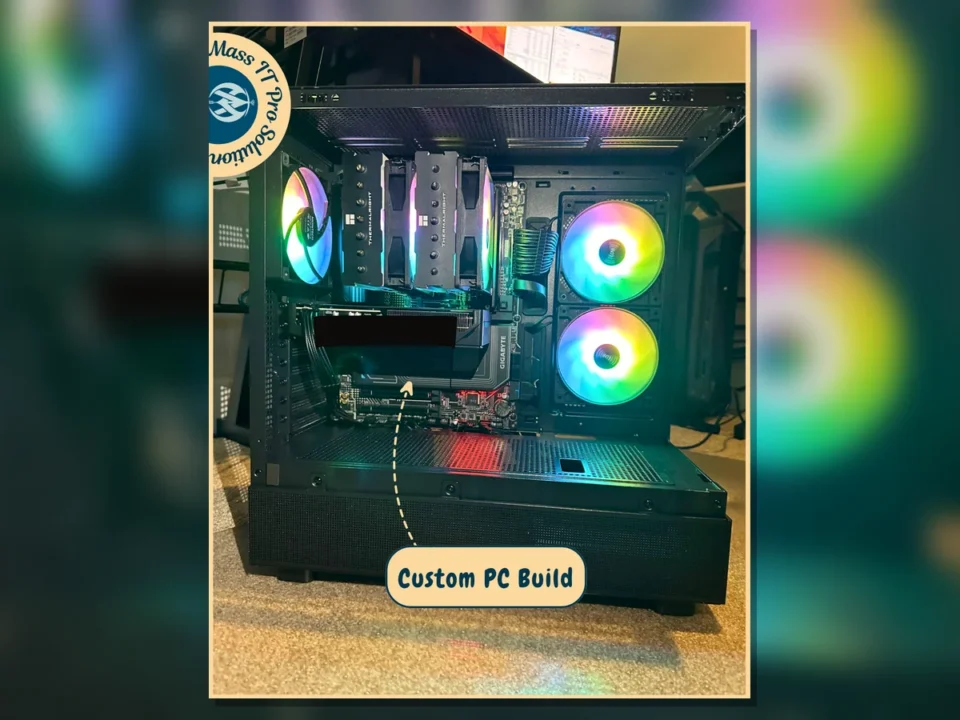
Custom PC internal build view by Mass IT Pro Solution
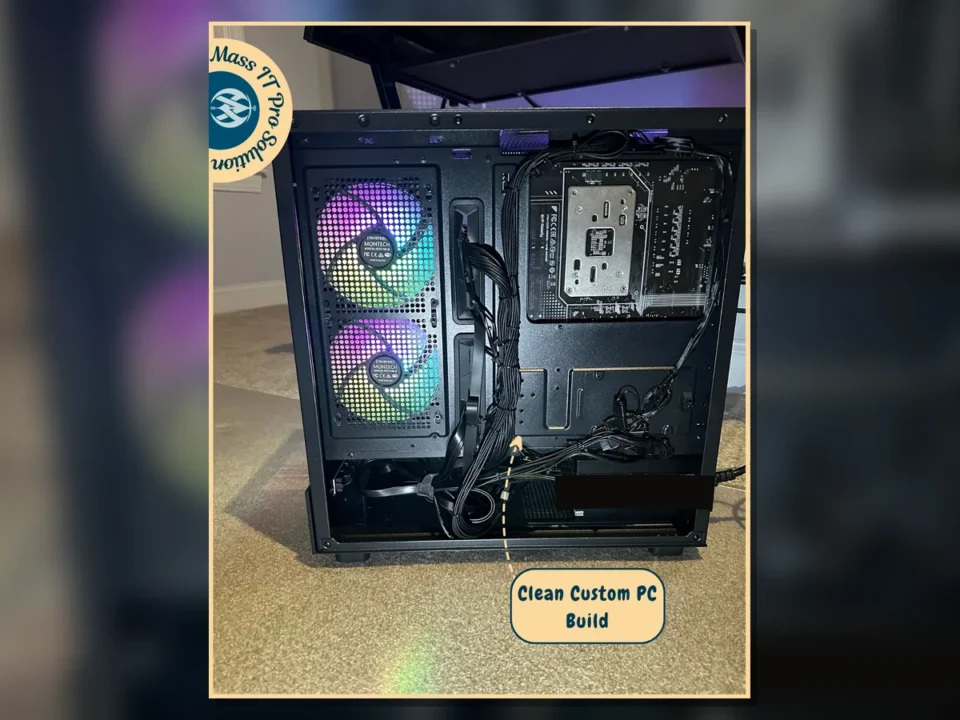
Clean rear cable management in custom PC by Mass IT Pro Solution
Residential / Personal Computing

Custom PC Build and Cable Cleanup

CHALLENGE

The custom desktop needed internal build support, cleaner cabling, and verification that major components were seated and organized correctly.

SOLUTION

Mass IT Pro Solution reviewed the internal build layout, checked connections, cleaned visible cabling, and organized the rear cable path to improve airflow and future serviceability.

RESULTS
  • Custom PC build reviewed
  • Internal cabling cleaned up
  • Rear cable management improved
  • System layout easier to service

How we turn messy IT into a finished project

Good IT work is not just showing up with tools. We look at the problem, confirm the risk, explain the options, and complete the work in a way the business can actually maintain.

01

Find the real issue

We start by checking what is failing, what changed recently, and what the business needs the system to do every day.

02

Separate urgent from optional

Not every issue deserves the same spend. We identify what needs action now and what can be planned later.

03

Build the right scope

We define the work clearly so the client knows what is included, what depends on hardware, and what would be out of scope.

04

Complete the work cleanly

We handle the install, setup, migration, repair, or cleanup with attention to business continuity and user impact.

05

Test before handoff

We confirm the system works, document the important details, and review anything the client needs to know.

06

Plan the next improvement

After the immediate project is done, we help the client decide whether managed support, endpoint protection, backup, or documentation should come next.