
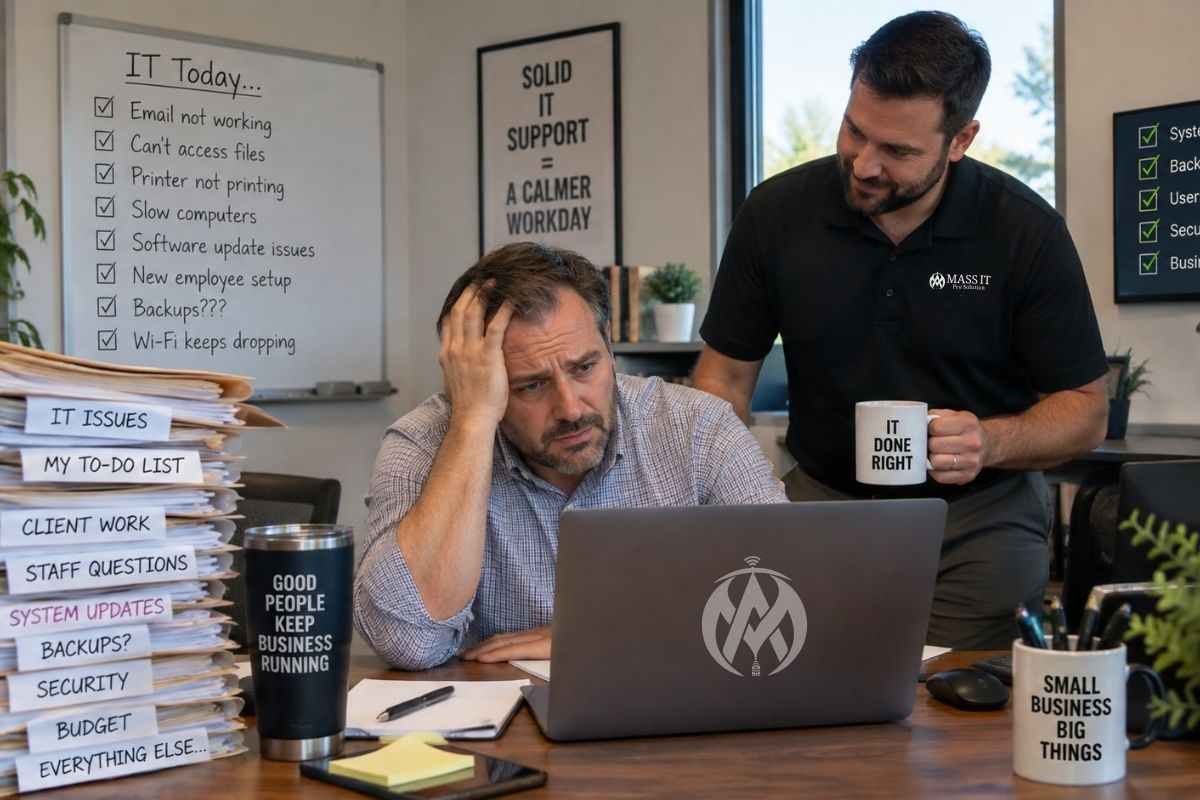
Running a small business does not become easier because the company only has 10, 20, or 30 employees.
The same technology still has to work.
Employees need reliable computers. Microsoft 365 needs to stay organized. Email needs to be secure. Wi-Fi cannot disappear during the workday. Backups have to run. New employees need access on time. Former employees need access removed. Security updates need to happen. Vendors need coordination. Someone has to know what to do when the server, firewall, cloud application, workstation, or internet connection stops cooperating.
For many Massachusetts small businesses, the problem is not that they have no technology.
The problem is that nobody has clear responsibility for managing all of it together.
That is where outsourced IT services can make sense.
Instead of waiting until something breaks and then finding someone to repair it, a business works with an outside IT provider that takes responsibility for defined parts of the technology environment on an ongoing basis.
But outsourced IT is not one standard package, and the term is often used too loosely.
A business owner should understand exactly what is being outsourced, what the provider is responsible for, what remains the company’s responsibility, and what a professional managed IT relationship should look like before signing an agreement.
What Are Outsourced IT Services?
Outsourced IT services means hiring an outside technology provider to perform some or most of the IT responsibilities a business would otherwise have to coordinate itself.
Depending on the agreement, that can include:
- Employee help desk support
- Computer and workstation management
- Patch management
- Cybersecurity
- Endpoint protection
- Microsoft 365 administration
- Email security
- User onboarding and offboarding
- Network and Wi-Fi management
- Firewall management
- Backup and disaster recovery
- Cloud support
- Vendor coordination
- Technology documentation
- Hardware planning
- Technology roadmaps
- Remote support
- On-site support
A company may outsource nearly all of those responsibilities or only a specific portion.
That is why outsourced IT services and managed IT services are related, but they are not automatically identical.
Outsourced IT vs. Managed IT: What Is the Difference?
Outsourcing describes who performs the work.
Managed IT describes how the work is delivered.
A business can outsource a one-time server installation, Microsoft 365 migration, network project, or cybersecurity assessment without purchasing managed IT services.
Managed IT is typically an ongoing relationship where a provider accepts responsibility for defined systems, users, maintenance, support, monitoring, and planning.
For example:
A Massachusetts business could hire an IT company once to replace a firewall.
That is outsourced IT work.
If that same provider continuously monitors devices, supports employees, manages updates, reviews security alerts, assists with Microsoft 365, tracks backups, maintains documentation, and plans future technology improvements, that is closer to a managed IT support model.
For businesses that want technology handled consistently rather than project by project, managed IT is usually the more structured form of outsourcing.
Reactive IT Support vs. Outsourced Managed IT
A useful way to understand outsourced IT is to compare it with reactive support.
| Area | Reactive IT Support | Outsourced Managed IT |
| When work begins | Usually after something breaks | Ongoing |
| User support | Requested as needed | Defined support process |
| Monitoring | Usually limited | Covered systems can be mointored continuosly |
| Updates and patching | Often handled manually or inconsistently | Managed on an ongoing schedule |
| Cybersecurity | Often addressed as separate problems occue | Incorporated into the enviroment |
| Backups | Business may need to check them | Status and failures can be actively reviewed |
| Microsoft 365 | Problems addressed individually | Accounts, users, access, and issues can be manged centrally |
| Documentation | Often limited | Enviroment should be documented |
| Vendor coordination | Business usually coordinated vendors | Provider can assist with technical vendor issues |
| Planning | Usually project-driven | Technology roadmap can be maintained |
| Primary goal | Fix the current issue | Keep the enviroment supportable and reduce recurring problems |
Neither model is automatically right for every business.
A very small organization with only a few devices and limited technology dependence may be perfectly comfortable using project-based or reactive support.
But once employees depend on technology all day, security requirements increase, systems become interconnected, or recurring problems begin consuming staff time, reactive IT becomes difficult to manage.
Why Massachusetts Small Businesses Outsource IT
Small and midsized businesses often operate lean.
The office manager may also handle employee onboarding.
The owner may be approving Microsoft 365 licenses.
Someone in accounting may know the Wi-Fi password.
A technically comfortable employee may become responsible for printer problems, password resets, new computers, or software issues even though technology is not their job.
That can work for a while.
Then the company grows.
Five computers become fifteen.
One office becomes two.
Employees begin working remotely.
The business moves documents into Microsoft 365.
A cyber insurance application asks questions nobody can confidently answer.
An important employee leaves.
A backup fails.
A phishing email gets through.
The company discovers that years of technology decisions were handled individually without one person understanding the complete environment.
Outsourcing IT can create structure around those responsibilities.
NIST’s current small-business cybersecurity guidance specifically recognizes that outsourcing technology and cybersecurity functions is common for small businesses that may not have the resources or expertise to hire dedicated employees for those responsibilities. NIST also emphasizes defining expected outcomes, responsibilities, service levels, and contractual expectations rather than choosing a provider based on price alone.
What Should Outsourced IT Services Include?
There is no universal package.
The correct scope depends on the business.
However, an outsourced IT provider supporting a Massachusetts SMB should be able to clearly explain who is responsible for each major part of the environment.
1. Employee Help Desk Support
Employees need a clear place to go when technology interrupts their work.
That may include:
- Password and login problems
- Outlook issues
- Microsoft 365 access
- Printer problems
- Software errors
- Slow computers
- File access
- OneDrive or SharePoint issues
- Wi-Fi connectivity
- Remote-work problems
- New workstation setup
The objective is not simply to close tickets.
Support should restore productivity and identify patterns when the same issue keeps returning.
2. Workstation and Device Management
Business computers should not be treated as unrelated machines.
A managed environment should have visibility into which computers belong to the business, which users operate them, what operating systems they run, whether important updates are installed, and whether security tools are working.
That becomes increasingly important as laptops leave the office and employees work remotely.
3. Patch Management and Updates
Operating systems and business software require updates.
Leaving devices unpatched creates reliability and security problems.
Installing every update blindly the moment it appears can create problems too.
A structured patch-management process should provide visibility into what is installed, what failed, which systems require attention, and how critical updates are handled.
4. Cybersecurity and Endpoint Protection
Outsourced IT should not treat cybersecurity as an optional product added after the rest of the environment is built.
Small-business security usually involves multiple layers:
- Endpoint protection
- Multi-factor authentication
- Account security
- Email security
- Patch management
- Firewall configuration
- Access control
- Backup protection
- Security monitoring
- Employee security awareness
- Incident procedures
Installing antivirus software is not the same as managing cybersecurity.
Security controls should work together.
5. Microsoft 365 Administration
Microsoft 365 often becomes the center of a small business.
It may contain:
- Employee identities
- OneDrive files
- SharePoint
- Teams
- Shared mailboxes
- Distribution groups
- Calendars
- Administrative accounts
- Company documents
That makes Microsoft 365 administration a business function, not simply an email problem.
Someone needs responsibility for licenses, account creation, access, MFA, mailbox issues, administrator permissions, onboarding, offboarding, and security configuration.
6. Employee Onboarding and Offboarding
New employees should not spend their first morning waiting for someone to figure out their email password.
Likewise, a former employee should not retain access because nobody remembered every system they used.
A structured IT provider should help manage:
- User accounts
- Microsoft 365 licensing
- Computer setup
- MFA
- Application access
- File permissions
- Shared mailboxes
- Remote access
- Account termination
- Device recovery
For many small businesses, this alone removes a surprising amount of administrative work.
7. Backup and Disaster Recovery
A backup application being installed does not prove that data can be recovered.
Someone should know:
- What is being backed up
- How frequently backups run
- Whether jobs succeed
- Whether failures are being investigated
- How long data is retained
- How systems would be restored
- How long recovery may take
- Who is responsible during a failure
The purpose of backup is not to create backup files.
The purpose is to restore business operations when something goes wrong.
8. Network and Wi-Fi Management
The network connects nearly everything else.
Internet access, workstations, printers, phones, servers, access points, cloud applications, cameras, and other devices may all depend on the same infrastructure.
A business network should not become a collection of equipment nobody understands.
Outsourced network management may include:
- Firewall management
- Switch configuration
- Wireless access points
- Guest Wi-Fi
- Network segmentation
- Internet-provider coordination
- Performance troubleshooting
- Network documentation
- Equipment replacement planning
9. Vendor Coordination
Small businesses often use several technology vendors.
There may be:
- An internet provider
- Phone provider
- Accounting software company
- Practice-management software
- Industry-specific applications
- Copier vendor
- Website provider
- Microsoft 365
- Cybersecurity products
When something breaks, those vendors sometimes blame each other.
A capable outsourced IT provider should help determine where the technical problem actually exists and coordinate with outside vendors when appropriate.
The business should not need to become the translator between five technology companies.
10. Documentation
A business should know what technology it owns and how the environment is structured.
Useful documentation may include:
- Devices
- Servers
- Network equipment
- Internet providers
- Microsoft 365 tenant information
- Applications
- Vendors
- Backup systems
- Licensing
- Network diagrams
- Warranty information
- Important procedures
Documentation becomes particularly valuable during emergencies, employee changes, office moves, acquisitions, vendor transitions, or security incidents.
What Should Not Be Outsourced Blindly?
Outsourcing IT does not mean leadership stops having responsibility for technology decisions.
The business still needs to understand:
- What systems are critical
- Who should have access
- What information is sensitive
- What downtime the company can tolerate
- Which regulations or contracts apply
- What business applications employees depend on
- What level of risk leadership is willing to accept
NIST specifically warns that outsourcing cybersecurity responsibilities does not transfer the business’s ultimate responsibility for protecting its systems and information.
A good IT provider should make those decisions easier.
It should not make the technology environment invisible to leadership.
Massachusetts Businesses Have Another Reason to Pay Attention to IT Vendors
Massachusetts businesses that own or license covered personal information about Massachusetts residents may have obligations under 201 CMR 17.00.
The regulation establishes minimum safeguards for protecting covered personal information and specifically addresses third-party service providers.
Among other requirements, organizations subject to the regulation must take reasonable steps to select service providers capable of maintaining appropriate security measures and require those service providers by contract to maintain appropriate safeguards.
That makes the IT-provider relationship more important than:
“Who can fix our computers?”
If an IT provider has access to systems containing protected information, businesses should understand how that provider secures access, credentials, endpoints, remote connections, documentation, and client data.
The Commonwealth’s small-business compliance checklist specifically asks businesses whether they have evaluated third-party providers and contractually required appropriate security protections.
This does not mean an IT company replaces legal counsel or determines whether every regulation applies to your organization.
It means vendor security should be part of the technology conversation.
Outsourced IT Does Not Mean Giving a Provider Unlimited Access
An IT provider may need significant administrative access to support a business.
That makes access control important.
A professional relationship should define:
- Which systems the provider can access
- Which technicians have administrative privileges
- How privileged credentials are protected
- Whether MFA is required
- How remote access is secured
- How access is logged
- How former technicians lose access
- How client credentials are stored
- Who owns business accounts and licenses
The provider may administer the environment.
The business should still retain appropriate ownership and visibility over its systems and data.
What Is Fully Managed IT Support?
Fully managed IT support generally means that one provider handles most day-to-day technology responsibilities covered under the agreement.
That may include:
Users
Help desk, onboarding, offboarding, access, and account support.
Devices
Workstations, updates, monitoring, security, and maintenance.
Cloud systems
Microsoft 365, email, collaboration, and user administration.
Security
Endpoint protection, patching, access controls, monitoring, and security coordination.
Infrastructure
Networks, Wi-Fi, firewalls, servers, and connectivity.
Data protection
Backup oversight and recovery planning.
Operations
Vendor coordination, documentation, planning, and technology reviews.
The specific scope matters more than the phrase “fully managed.”
A business should never assume something is included simply because the provider uses that term.
Outsourced IT Services vs. Hiring Dedicated IT Employees
Some businesses eventually reach a size or complexity where hiring dedicated technology employees makes sense.
Others may continue outsourcing most IT functions for years.
There is also a hybrid model where business technology employees work alongside an outsourced provider for monitoring, cybersecurity, help desk coverage, projects, or specialized expertise.
The right model depends on:
- Number of employees
- Number of locations
- Technology complexity
- Industry
- Compliance requirements
- Support hours
- Security needs
- Project volume
- Budget
- Existing technical expertise
For many Massachusetts SMBs, outsourced IT provides access to multiple technical specialties without requiring the company to build every capability itself.
The important question is not whether outsourcing is universally better.
It is whether the support model matches the business.
When Does Outsourcing IT Make Sense?
Your business may be ready for outsourced managed IT when several of these situations sound familiar:
- Technology problems keep returning
- Employees regularly wait for IT help
- The owner or office manager handles technology issues
- Nobody consistently reviews security alerts
- Microsoft 365 permissions are messy
- Former-user accounts remain active
- Workstations are updated inconsistently
- Backups exist but are rarely checked
- Wi-Fi or network problems keep interrupting work
- Several vendors are involved but nobody owns the complete environment
- The company is adding employees or locations
- Cyber insurance questionnaires are becoming difficult to answer
- Clients are asking more security questions
- The company depends heavily on technology but still manages it reactively
One problem does not necessarily mean the company needs managed IT.
A pattern of problems usually means the business needs a more structured operating model.
If you are still determining whether your current support model has reached that point, review the signs your business may need managed IT services.
What Happens When a Business Outsources IT?
A provider should not simply install software agents on every computer and begin sending invoices.
A proper transition usually starts with discovery.
Step 1: Technology Assessment
The provider reviews the current environment.
That may include:
- Users
- Computers
- Servers
- Microsoft 365
- Network
- Wi-Fi
- Firewall
- Backups
- Applications
- Vendors
- Security controls
- Existing problems
Step 2: Documentation
The environment should be documented so responsibilities and dependencies are understood.
Unknown systems create risk.
Step 3: Stabilization
Urgent problems should be addressed first.
Examples may include:
- Unsupported computers
- Failed backups
- Security gaps
- Former-user access
- Missing updates
- Network instability
- Unprotected endpoints
Step 4: Onboarding
The provider installs or configures the management, security, backup, documentation, and support tools included in the agreement.
Step 5: User Support Begins
Employees receive a defined process for getting help.
Step 6: Ongoing Management
Updates, security alerts, devices, backups, support requests, and recurring issues are reviewed as part of normal operations.
Step 7: Technology Planning
Once the environment is stable, the conversation can shift from emergencies to planning.
That may include:
- Device replacement
- Server upgrades
- Cloud migrations
- Network improvements
- Security improvements
- Office expansion
- Software changes
- Budget planning
That is where outsourced IT begins providing more value than simply repairing broken computers.
How Much Do Outsourced IT Services Cost?
There is no responsible single price for every small business.
Cost depends on factors such as:
- Number of users
- Number of devices
- Number of locations
- Server infrastructure
- Microsoft 365 environment
- Security requirements
- Backup requirements
- Support requirements
- Industry-specific applications
- Network complexity
- Compliance obligations
- On-site requirements
Businesses should be cautious about comparing providers only by monthly price.
One proposal may include endpoint security, backup oversight, Microsoft 365 administration, help desk support, patching, network management, and planning.
Another may include little more than remote support and monitoring.
Those are not comparable services simply because both companies call them “managed IT.”
The scope matters first.
Local IT Provider or Remote-Only Support?
Remote support can resolve a large percentage of everyday IT problems.
It is fast and efficient for:
- Password problems
- Microsoft 365 issues
- Software errors
- Account configuration
- User support
- Many workstation problems
But physical technology still exists.
Businesses may need on-site assistance for:
- Network equipment
- Wi-Fi
- Cabling
- Failed hardware
- Workstation deployment
- Firewall replacement
- Server work
- Office moves
- Internet problems
- Physical troubleshooting
That is where working with a local IT service provider can be valuable.
Massachusetts businesses can benefit from a provider capable of handling remote issues quickly while still being able to work on-site when the problem involves physical infrastructure.
Outsourced IT Services for Different Massachusetts Industries
Not every SMB should receive the same IT plan.
Law Firms
Law firms depend heavily on email, document access, secure accounts, reliable workstations, remote access, and client confidentiality.
Downtime can directly interfere with billable work.
Medical and Dental Offices
Healthcare environments may have additional privacy, security, vendor, application, and regulatory requirements.
Technology must support clinical operations without interfering with patient care.
Accounting and Financial Firms
Accounting firms depend on financial software, secure client data, backups, Microsoft 365, reliable workstations, and deadline-driven operations.
A technology problem during tax season has a very different business impact than the same problem during a quiet period.
Construction and Trades
Construction businesses may have office staff, field employees, jobsite connectivity, mobile devices, cloud applications, QuickBooks, estimating platforms, project-management tools, and remote-access requirements.
Nonprofits
Nonprofits often need strong security and reliable technology while maintaining careful control over spending.
Professional Services and Local Offices
Consultants, agencies, real estate businesses, insurance offices, and other professional firms often need secure email, dependable computers, cloud access, backup, Wi-Fi, and responsive support without building a large technology operation.
The right outsourced IT plan should reflect how the organization actually works.
How Do You Know Whether Outsourced IT Is Working?
The goal should not be to generate more IT activity.
The goal should be fewer preventable interruptions and clearer control over the environment.
Over time, leadership should see improvements such as:
- Fewer recurring problems
- Faster employee support
- Cleaner onboarding and offboarding
- Better device visibility
- More consistent patching
- Better backup oversight
- Clearer documentation
- Stronger access control
- Fewer vendor disputes
- Better planning
- Fewer technology surprises
A managed provider should make technology easier to operate.
If the business still has no idea what is being managed, what condition systems are in, or who owns recurring problems, then changing from break-fix support to a monthly invoice has not solved the real problem.
What Should Be Included in an Outsourced IT Agreement?
Before signing, the business should clearly understand:
- Services included
- Services excluded
- Support hours
- Response expectations
- On-site support
- Remote support
- User and device coverage
- Cybersecurity responsibilities
- Backup responsibilities
- Microsoft 365 responsibilities
- Network responsibilities
- Project work
- Licensing
- Hardware
- Vendor coordination
- Offboarding
- Data ownership
- Credential ownership
- Contract termination procedures
The agreement should make responsibilities clearer, not create more uncertainty.
Outsourced IT Services for Massachusetts Small Businesses
For many Massachusetts businesses, outsourced IT is not about handing technology over and forgetting about it.
It is about putting structure around systems that have become too important to manage casually.
Mass IT Pro Solution supports Massachusetts businesses with managed IT services, employee support, cybersecurity, Microsoft 365, backup and disaster recovery, business networking, remote support, and on-site technology service.
Our role is to understand the environment, establish clear responsibilities, support employees, address weak points, and help the business make better technology decisions over time.
Some organizations need full managed IT support.
Others need a specific project, security improvement, network upgrade, cloud migration, or ongoing support for only part of the environment.
The right starting point is understanding what your business already has and where the real gaps are.
Start With a Business IT Assessment
If your employees are losing time to recurring technology problems, security responsibilities are unclear, or too many vendors are involved without one accountable point of contact, it may be time to review the current environment.
Mass IT Pro Solution provides remote and on-site technology support for businesses across Massachusetts, including Greater Boston, MetroWest, Central Massachusetts, Worcester-area businesses, and surrounding communities.