
Managed IT pricing, cybersecurity, Microsoft 365, backup, and the questions Massachusetts businesses should ask before signing an agreement.
A five-person company can have enterprise-sized IT problems. A stolen Microsoft 365 login can interrupt payments. An unpatched laptop can expose customer records. A failed computer can strand the only current copy of an estimate. Yet some businesses still buy IT support only after something breaks.
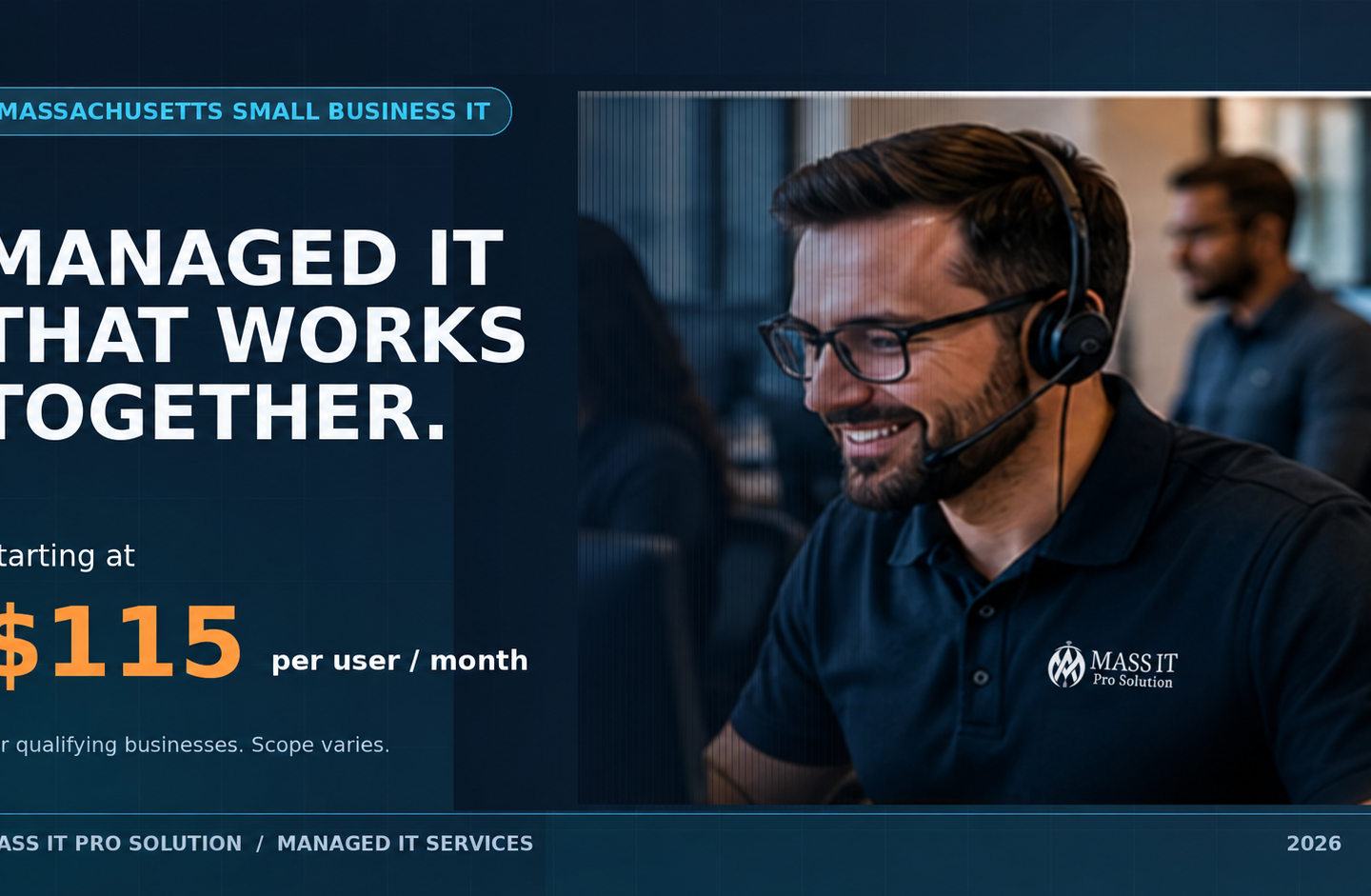
Quick answer: Managed IT services give a business defined, ongoing responsibility for support, monitoring, updates, cybersecurity, and recovery. In Massachusetts, the price depends on users, devices, licensing, risk, and what’s included. Mass IT Pro Solution offers Total Managed IT & Cybersecurity starting at $115 per user per month for qualifying businesses. The important question is not just the price. It’s what your company can expect that provider to manage, verify, and fix.
How much do managed IT services cost in Massachusetts in 2026?
There is no universal per-user price for managed IT. Two proposals can both say “managed IT” while covering very different things. One might include remote help desk and patching. Another may also include Microsoft 365 licensing, advanced email protection, managed detection and response, application control, and two types of backup.
Mass IT Pro Solution’s starting price is $115 per user per month for eligible business environments. That is an advertised starting point, not an unconditional quote for every user, device, server, location, or level of support.
| Example team size | At $115/user/month | Annualized recurring amount |
|---|---|---|
| 5 users | $575/month | $6,900/year |
| 10 users | $1,150/month | $13,800/year |
| 20 users | $2,300/month | $27,600/year |
| 35 users | $4,025/month | $48,300/year |
Illustrative multiplication of the advertised starting rate, not actual quotes. Minimums, licenses, devices, storage, support scope, onboarding, and infrastructure can change the final price.
The practical way to compare providers is to request a written coverage matrix showing what is included, what costs extra, and who responds when a problem crosses from routine support into a security incident.
Why the cheapest monthly quote can become the most expensive
Suppose Provider A quotes $85 per user and Provider B quotes $115. Provider A’s plan excludes Microsoft 365 licensing, endpoint backup, advanced email protection, and on-site work. Provider B’s proposal includes those items within a defined scope. The difference is not necessarily $30 per user. You need to add the excluded services and understand the support limits before comparing totals.
Practitioners debating MSP pricing and support scope in 2026 repeatedly raised the same problem: “unlimited” support, per-user pricing, additional endpoints, on-site visits, and project work mean different things in different contracts. These are practitioner opinions, not a verified Massachusetts price survey. The useful lesson is to compare deliverables and exclusions, not slogans.
What does a managed IT provider actually do?
A managed service provider (MSP) takes ongoing responsibility for specified technology systems under an agreement. That normally includes a combination of monitoring, maintenance, technical support, account administration, security controls, vendor coordination, and planning. What the MSP actually owns depends on the contract.
A healthy managed IT relationship looks like this:
Employees and business applications
               |
      Help desk and identity
               |
  Managed devices + patching + access
               |
   Email defense + endpoint detection
               |
    Backup + restore validation
               |
      Alerts, tickets, reporting
               |
    Business owner + IT review
These are connected responsibilities, not eight unrelated software subscriptions. For example, patch management may reduce the opportunity for an attacker to exploit a workstation, while endpoint detection can help investigate suspicious activity that gets past preventive controls. Backups support recovery if prevention fails. The help desk still needs to solve everyday user problems.
The provider should be able to show evidence: managed-device inventory, patch status, security alert ownership, backup health, completed support tickets, and documented exceptions. Buying tools without assigning people and procedures to operate them is not a managed service.
Why a small Massachusetts business needs ongoing IT oversight
You do not need to outsource IT just because your company has five or fifteen employees. You do need someone accountable for the technology and security work that cannot safely be left to chance. That person may be internal staff, an MSP, or a shared arrangement.
Cybersecurity risk does not scale down with headcount
The 2026 Verizon Data Breach Investigations Report found vulnerability exploitation accounted for 31% of breach initial-access vectors in its dataset, and ransomware appeared in 48% of breaches. Those are findings from Verizon’s analyzed incidents, not the probability that any particular Massachusetts business will be breached.
For a small firm, one neglected laptop or exposed account can be enough to interrupt billing, scheduling, and customer communication. The useful response is not fear-based marketing. It is a routine process for finding devices, updating software, enforcing account controls, investigating alerts, and testing recovery.
AI makes impersonation easier, while employees also need AI rules
An urgent invoice email can be grammatically perfect. A caller can sound like a company executive. A fake vendor may know the names of people involved in a real project. The FBI’s 2025 Internet Crime Report recorded 22,364 complaints involving AI-related information and approximately $893 million in adjusted reported losses. These are nationwide complaint statistics, not losses suffered specifically by Massachusetts SMBs.
Security tools can reduce some risks, but they cannot replace a simple rule: verify changes to payment instructions through a trusted, independent channel. Employees also need a policy for what client records, financial information, and confidential documents may be entered into AI tools. Microsoft 365 administration and identity controls can support that policy, but cannot create good judgment by themselves.
Massachusetts has real data-security obligations
Organizations that own or license certain personal information about Massachusetts residents may fall under 201 CMR 17.00. The regulation requires a comprehensive written information security program (WISP) and safeguards appropriate to the covered organization and information. Massachusetts publishes a small-business compliance checklist.
An MSP can help implement technical controls and provide records for an assessment. Hiring an MSP does not, by itself, establish compliance. Policies, training, physical safeguards, service-provider oversight, and other administrative work may still be required. Healthcare, financial, and contractual requirements can add obligations beyond 201 CMR 17.00.
Downtime is a business problem before it is an IT ticket
Imagine a Waltham accounting office where twelve employees cannot access their tax software for half a day. Even without a cyberattack, the firm has lost productive time and may have missed deadlines or client calls. Or consider a Framingham contractor whose estimators cannot access plans stored on a failing workstation.
These are illustrative scenarios, not incidents attributed to Mass IT Pro Solution clients. They explain why owners should ask about both preventing repeat failures and recovering when prevention does not work.
Break-fix IT versus managed IT: which is the better fit?
Break-fix support means contacting a technician when something needs attention. It can be sensible for an isolated repair or a low-complexity environment. Managed IT is intended for businesses that need ongoing, defined operational responsibility.
| Question | Break-fix IT | Managed IT |
|---|---|---|
| Who notices a failed update? | Often the customer, unless monitoring is separately arranged | Provider monitors covered devices and follows an agreed process |
| Who manages new and departing employee access? | Requested as needed | Defined onboarding and offboarding workflow |
| Who reviews suspicious endpoint activity? | Separate incident request or security service | Assigned security capability if included in scope |
| Who checks backup health? | May be an additional service | Monitored if backup oversight is included |
| How is support billed? | Per incident or hour | Recurring coverage with documented inclusions and exclusions |
| Is every repair covered? | No | Also no: project, hardware, and specialty exclusions may apply |
Decision rule: If your organization relies on shared systems every day and cannot reliably assign internal staff to maintain them, an MSP is worth evaluating. If you already have capable IT employees, co-managed support may be a better arrangement than replacing them.
What is included in Mass IT Pro Solution’s Total Managed IT & Cybersecurity offering?
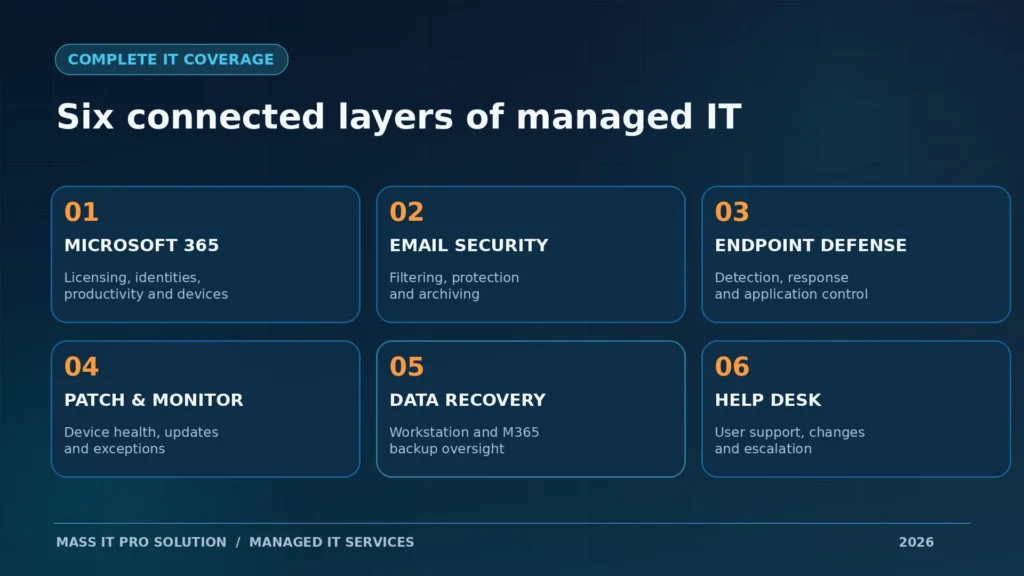
Our comprehensive managed IT offering is designed to bring support, Microsoft 365, cybersecurity, and data protection into one coordinated service arrangement. The $115 figure is a starting rate for qualifying businesses. Final coverage is specified in a written proposal, including licensed users, protected devices, storage allowances, support terms, and any excluded services.
| Service area | What it does for your business | What to confirm in the proposal |
|---|---|---|
| Microsoft 365 Business Premium with Copilot | Business email, collaboration, productivity, identity/device controls, licensed AI | Which users get the Copilot-enabled bundle and what license terms apply |
| Advanced Email Protection & Email Archiving | Helps filter threats and preserve messages under configured retention policies | Filtering, archive scope, retention, and retrieval |
| Managed Detection & Response (MDR) | Investigates and responds to qualifying security activity | Covered endpoints, monitoring hours, containment authority, escalation |
| Application Control & Zero Trust | Restricts unapproved software and reduces unnecessary access | Policy exceptions, rollout approach, supported applications |
| Remote Monitoring & Patch Management | Tracks covered devices and manages updates | Supported OS/apps, patch cadence, reboot and exception process |
| Direct-to-Cloud Workstation Backup | Protects configured workstation data and supports recovery | Storage caps, retention, devices, recovery testing |
| Microsoft 365 Cloud Application Backup | Adds backup/recovery options for selected cloud workloads | Exchange, OneDrive, SharePoint, Teams coverage and limits |
| Managed IT Help Desk | Supports covered users and everyday IT issues | Hours, remote/on-site terms, response targets, projects |
Important distinction: These are the capabilities of the comprehensive offering. They are not a claim that every possible device, workload, incident, on-site visit, or unlimited storage is included at the minimum price.
Microsoft 365 Business Premium with Copilot: productivity plus administration
For many businesses, Microsoft 365 is where the work happens. Email, Word, Excel, Teams, OneDrive, SharePoint, and user identities all depend on the tenant being properly configured and maintained. Business Premium adds advanced identity, security, and device-management capabilities. Copilot-enabled licensing can add AI experiences in supported Microsoft 365 applications.
Microsoft currently lists Microsoft 365 Business Premium with Copilot as a distinct bundle. It is not accurate to assume that every ordinary Business Premium license automatically includes the full paid Copilot experience. The exact SKU and eligible users must be identified in the proposal.
A five-person company might have different license needs for an owner, bookkeeper, office manager, and field technicians. A sensible plan avoids licensing every role identically when the features are not needed, while preserving the security baseline.
Advanced email protection and archiving: two different jobs
Phishing defense and email archiving should not be confused. Email security examines messages, links, attachments, and impersonation signals. Archiving preserves communications according to a configured retention policy. An archive is not automatically a complete disaster recovery solution for every mailbox scenario.
A provider should be able to explain how suspicious messages are quarantined, who reviews them, what happens to false positives, and how an authorized employee retrieves an archived message. It should also be able to explain the business’s SPF, DKIM, and DMARC posture without claiming that those DNS records alone stop all spoofing.
MDR and application control: what happens after an alert?
Endpoint protection attempts to prevent and detect malicious behavior. Managed Detection & Response adds people or a managed process to investigate, triage, escalate, and respond to covered threats. Application control can limit which programs and scripts may execute. These capabilities complement one another but are not interchangeable.
A real security plan should answer: Who receives a high-severity alert? Can they isolate a compromised workstation? Who approves disruptive containment? Who calls the owner? What happens outside ordinary help desk hours? Security monitoring coverage and help desk availability may have different schedules.
Monitoring, patching, and help desk: the daily work nobody sees
Routine IT management is not glamorous. It means knowing which devices are enrolled, whether critical updates installed, which computers keep failing, who needs account access, and whether an employee’s recurring issue was actually resolved.
A meaningful monthly review should highlight exceptions, not just a large number of “healthy” devices. For example, 19 of 20 devices patched sounds good until the remaining device is the server that runs the accounting application.
Two backup layers, because cloud sync and device recovery are different
Workstation backup protects covered endpoint data or images according to the configured policy. Microsoft 365 application backup addresses supported cloud data such as Exchange Online, OneDrive, and SharePoint, subject to the selected product’s workload coverage. OneDrive sync by itself is not the same as a tested recovery plan.
Ask the provider to demonstrate a controlled restore, document the newest usable recovery point, and identify who is responsible for any server, NAS, or application database that is not included in the workstation or Microsoft 365 backup scope. For more on recovery planning, see our backup and disaster recovery services. A successful backup notification is not proof of a usable restore.
What should an MSP actually prove each month?
A service agreement should translate into observable work. Here is a practical sample scorecard a business owner can request. These are suggested reporting fields, not claims that Mass IT Pro currently delivers every report in this exact format.
| Evidence | Why it matters | Example question to ask |
|---|---|---|
| Managed user and device inventory | Finds unsupported or unprotected systems | “Which laptops aren’t enrolled?” |
| Critical patch exceptions | Identifies systems requiring follow-up | “What failed to update and why?” |
| Security incidents and escalations | Shows alert handling, not just tool installation | “What was investigated or contained?” |
| Backup failures and restore-test results | Tests whether recovery is plausible | “When did we last restore and verify data?” |
| Support tickets and repeat problems | Reveals unresolved operational friction | “What keeps breaking?” |
| Changes, risks, and next actions | Gives ownership a roadmap | “What needs approval or budget?” |
If the provider cannot show any evidence of maintenance, investigation, or recovery testing, the owner should ask what the monthly fee is paying for beyond licenses.
A safe technical check: is your business domain publishing email-authentication records?
For technical owners or administrators, the following read-only PowerShell commands can inspect public DNS records. Replace example.com with your actual domain. These commands do not change mail flow or tenant settings.
# Check the domain's published TXT records, including SPF if configured.
Resolve-DnsName -Name "example.com" -Type TXT

# Check the domain's DMARC policy record.
Resolve-DnsName -Name "_dmarc.example.com" -Type TXT
How to interpret this: An SPF record commonly starts with v=spf1. A DMARC record commonly starts with v=DMARC1. Their presence alone does not prove correct configuration. SPF must match authorized senders, DKIM needs to be enabled and aligned, and DMARC policy, alignment, reporting, and third-party services need review. A missing or incorrect record is a reason for an administrator to investigate, not permission to paste a generic DNS value into production.
This is one small example of the difference between saying “we manage email security” and verifying what is actually configured.
How to compare two managed IT quotes without getting trapped by the starting price
Use a side-by-side worksheet before signing. Require the same user count, device count, locations, and required workloads from every bidder.
| Comparison item | Provider A | Provider B |
|---|---|---|
| Monthly per-user fee | Written quote | Written quote |
| Minimum monthly commitment | Specify | Specify |
| Microsoft 365 SKU and Copilot licensing | Exact license | Exact license |
| Endpoint protection and MDR | Scope and hours | Scope and hours |
| Email filtering and archiving | Included or extra | Included or extra |
| Workstation and Microsoft 365 backup | Devices, storage, retention | Devices, storage, retention |
| Server, firewall, network management | Included or separate | Included or separate |
| Remote help desk and on-site visits | Hours and limits | Hours and limits |
| Onboarding, migrations, hardware, projects | One-time charges | One-time charges |
| Contract term, offboarding, data handover | Written terms | Written terms |
Do not confuse a per-user rate with a total cost of ownership. A ten-person office may have fourteen computers, a shared server, multiple offices, and a large backup footprint. That is a different environment from ten people using one laptop each and cloud-only applications.
The most important contract questions are what the provider will do, what it will not do, how exceptions are handled, and who pays when a change becomes a project.
Do you need servers, AWS, or expensive cloud infrastructure?
Not necessarily. Many smaller businesses can work effectively with managed Windows or Mac devices, Microsoft 365, well-designed Wi-Fi and networking, line-of-business SaaS applications, and an appropriate backup strategy. Buying cloud servers just because another company has them is not a business requirement.
A law firm with a legacy document-management application or an accounting office with a database that requires Windows Server may have different needs. A contractor whose team mainly uses email, SharePoint, and cloud estimating software might not need a dedicated server at all.
The right approach is to map the business workflow, data, permissions, connectivity, and recovery needs before choosing on-premises servers, hosted infrastructure, or cloud-only services. When a server or cloud VM is justified, its administration, backups, licensing, and security need to appear explicitly in the proposal.
Which Massachusetts businesses benefit most from managed IT?
Different industries need different operational priorities. A credible MSP should ask about the work before recommending a package.
| Business type | Common failure point | What the IT plan should address |
|---|---|---|
| Law firms in Boston or Cambridge | Confidential email, file access, departing staff | Account controls, secure collaboration, recovery, offboarding |
| Accounting offices in Waltham or Newton | Tax software downtime, phishing, financial records | Application support, MFA, backups, payment verification |
| Medical and dental offices | Unavailable scheduling systems, sensitive information | Covered-device management, vendor coordination, appropriate safeguards |
| Construction and trades in Framingham or Worcester | Field-device loss, shared plans, inconsistent access | Secure mobile access, backups, onboarding, reliable connectivity |
| Professional services and nonprofits | Small staff wearing multiple IT hats | Predictable support, device inventory, licensing, clear responsibilities |
These are common planning examples, not evidence of specific client incidents or a claim that every organization in an industry has the same requirements. Mass IT Pro Solution provides managed IT services across Massachusetts, including Greater Boston, MetroWest, and surrounding communities, with remote and on-site arrangements determined by scope and location.
What happens when an employee clicks a suspicious link?
This is the kind of scenario that reveals whether your managed IT package is a collection of software licenses or an operating service.
Employee reports a suspicious message
                  |
          Help desk triages
                  |
      Is an account or device at risk?
              /         \
            No           Yes
            |             |
     Document and     Escalate to security
     advise user      response process
                          |
                 Investigate and contain
                          |
                 Reset access if needed
                          |
                  Verify safe return
                          |
                  Document and review
The exact response depends on what happened and the agreed security coverage. An employee who merely viewed an email may need guidance. A user who entered credentials on a phishing page may need urgent account review, session revocation, and investigation. An endpoint executing malicious code may require isolation. No single automated tool makes those judgment calls correctly in every incident.
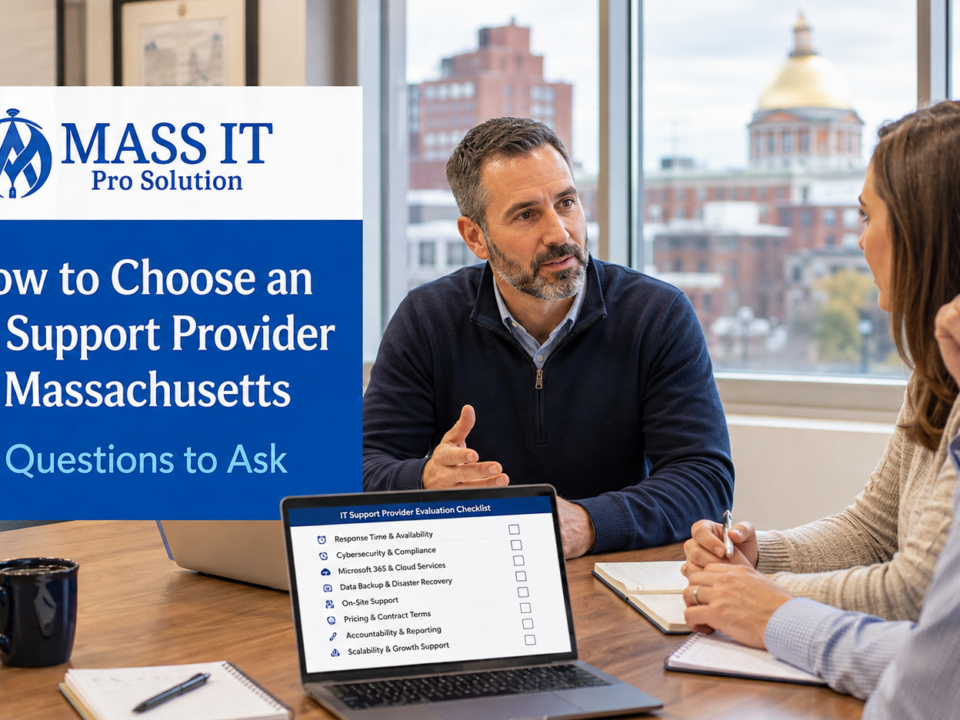
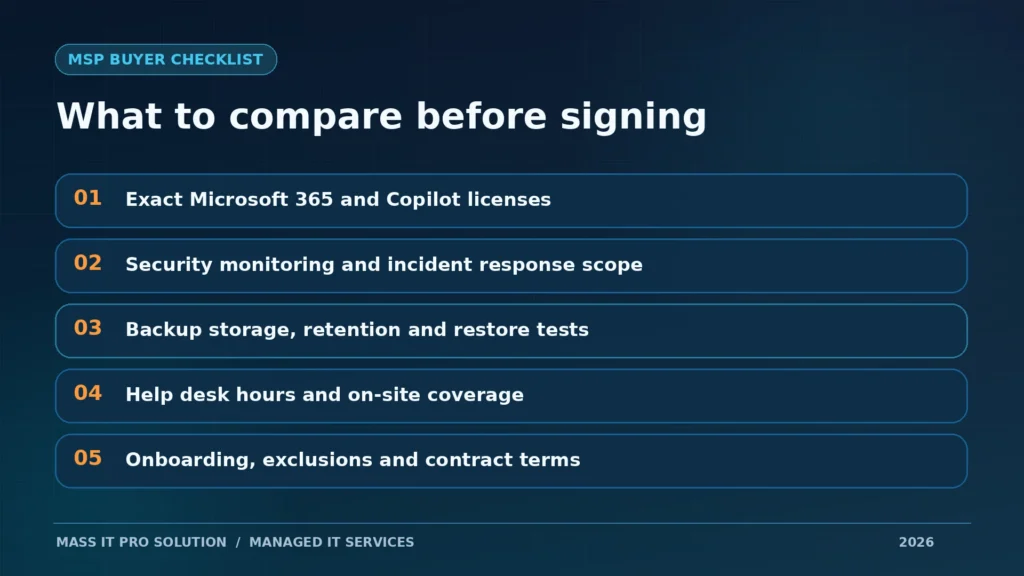
Before hiring an MSP, ask these nine questions
- What exactly is included in the quoted monthly price, and what is excluded?
- Are Microsoft 365 licenses included? Which SKU, and which users receive paid Copilot capabilities?
- How many devices per user are covered? What about shared computers, servers, and network equipment?
- Who investigates cybersecurity alerts, during which hours, and who can authorize containment?
- How are employee onboarding, offboarding, and administrator access handled?
- What data is backed up, how much storage is included, and when was recovery last tested?
- What support hours, response targets, and on-site arrangements are in the agreement?
- What are the onboarding costs, minimum term, renewal rules, and exit process?
- Will we receive understandable reports on issues, exceptions, and improvements?
If a provider cannot answer these questions in writing, the offer is not ready for a fair comparison.
Frequently asked questions about managed IT in Massachusetts
How much does managed IT cost per user in Massachusetts?
It depends on service scope, licensing, device count, support expectations, and infrastructure. Mass IT Pro Solution advertises Total Managed IT & Cybersecurity starting at $115 per user per month for qualifying businesses. Ask for a proposal that states all covered systems and additional charges.
Does $115 per user include Microsoft 365 Business Premium with Copilot?
The comprehensive offering is designed around Microsoft 365 Business Premium with Copilot and the other service categories described above. Exact licenses, eligible users, quantities, and pricing must be confirmed in the proposal. The starting rate should not be interpreted as an unconditional commitment to provide every license and add-on to every user.
Can we get a lower monthly price if we don’t need every service?
Possibly. Mass IT Pro Solution offers customizable arrangements. Removing or changing services may reduce cost, but it can also reduce security, support, or recovery coverage. Those trade-offs should be explained before a decision.
Is antivirus enough for a small business?
No. Antivirus is only one control. Businesses also need to consider identity security, multi-factor authentication, patching, email protection, secure access, employee procedures, monitoring, and recoverable backups based on their risk.
Is MDR the same as 24/7 IT support?
No. MDR describes a security detection and response capability for covered systems. Help desk support handles everyday IT issues. Security monitoring hours and human support hours are separate contractual terms.
Does Microsoft 365 automatically back up all company data?
Microsoft 365 includes native recovery and retention mechanisms, and Microsoft offers dedicated backup capabilities. None should be assumed to cover every business recovery requirement without reviewing the workload, configuration, license, retention, and restoration method. See Microsoft 365 cloud solutions and backup and disaster recovery services.
Does hiring an MSP make us compliant with Massachusetts 201 CMR 17.00?
No. Managed IT can support technical safeguards, but a business subject to the regulation still needs an appropriate written information security program and other required measures. Compliance depends on the organization’s data, processes, and obligations.
Is managed IT cheaper than hiring an internal IT employee?
For some smaller organizations, an MSP can provide a broader mix of skills than hiring one generalist. For others, internal IT or co-managed IT is the better choice. Compare the actual coverage, staffing needs, security requirements, and costs rather than assuming outsourcing always wins.
Can we keep our existing computers, firewall, and network?
Often, yes. Equipment should be assessed for security support, performance, warranty status, and compatibility. Devices that cannot be managed safely may require remediation or replacement, and the proposal should explain why.
Stop buying an IT promise. Ask for an IT plan.
A business owner should not need to memorize security acronyms to know whether the company’s computers are maintained, staff can get help, suspicious activity is investigated, and important data can be recovered. Those responsibilities should be visible in the service agreement and in the work performed afterward.
Mass IT Pro Solution helps Massachusetts businesses bring managed IT, cybersecurity, Microsoft 365, backup, and technical support into a defined service arrangement. Our Total Managed IT & Cybersecurity offering starts at $115 per user per month for qualifying businesses, with final pricing and coverage determined after reviewing the environment.
Already have an IT provider? We can review the scope you’re paying for and identify gaps or unnecessary duplication. Starting from scratch? We can help prioritize the systems your business actually needs.
Request a Managed IT & Cybersecurity Quote
When you contact us, include your approximate employee count, number of computers, current Microsoft 365 licensing, office locations, and biggest IT concern. That gives us a better starting point for an accurate proposal.
Starting pricing is subject to eligibility, licensing, device counts, storage, minimum commitments, support terms, and the final agreement. Onboarding, hardware, migrations, remediation, server infrastructure, and other projects may be separately quoted. No managed IT service guarantees zero incidents, zero downtime, or complete data recovery.
Selected independent references: Verizon 2026 DBIR · FBI 2025 IC3 Report · Massachusetts 201 CMR 17.00 checklist · Microsoft Business Premium with Copilot · MSP practitioner pricing discussion